

Top 5 4K Monitors for Video Editing in 2026 . Video editing is no longer limited to powerful processors and high-end graphics cards. The monitor plays an equally important role in the editing workflow because accurate color, sharp resolution, consistent brightness, and a comfortable workspace can directly affect the final result.
For editors working with 4K footage, cinematic content, YouTube videos, photography, or professional color grading, a standard office monitor may not provide the level of detail and color reproduction required. A good video editing monitor should ideally offer a high-resolution IPS or professional-grade panel, wide color gamut, strong factory calibration, HDR support, and useful connectivity for modern editing setups.
This guide highlights five monitors for video editing in 2026, ranging from Mac-focused 4K displays to professional color-accurate monitors and large-screen productivity displays.
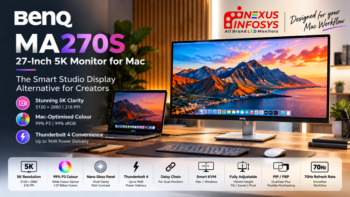
- BenQ MA270U — 27-inch monitor with 4K UHD resolution, featuring a P3 color gamut and Mac Color Match technology. Best for: Mac users and content creators.
- ASUS ProArt PA279CRV — 27-inch monitor with 4K UHD resolution, offering 99% DCI-P3 and 99% Adobe RGB color coverage. Best for: Professional editing and design.
- Dell UltraSharp U3225QE — 32-inch monitor with 4K UHD resolution, combining a professional-grade display with a Thunderbolt hub for enhanced connectivity and workflow flexibility. Best for: Editors who need a large workspace.
- BenQ SW272U — 27-inch 4K UHD monitor designed for color-critical work, featuring 99% Adobe RGB, 99% P3 coverage, and Delta E <1.5 for accurate color reproduction. Best for: Color-critical editing.
- LG 32UN880K — 31.5-inch monitor with 4K UHD resolution, offering 95% DCI-P3 color coverage and HDR10 support for detailed and vibrant visuals. Best for: Video editing and productivity.
1. BenQ MA270U – Best 4K Monitor for Mac-Based Video Editing
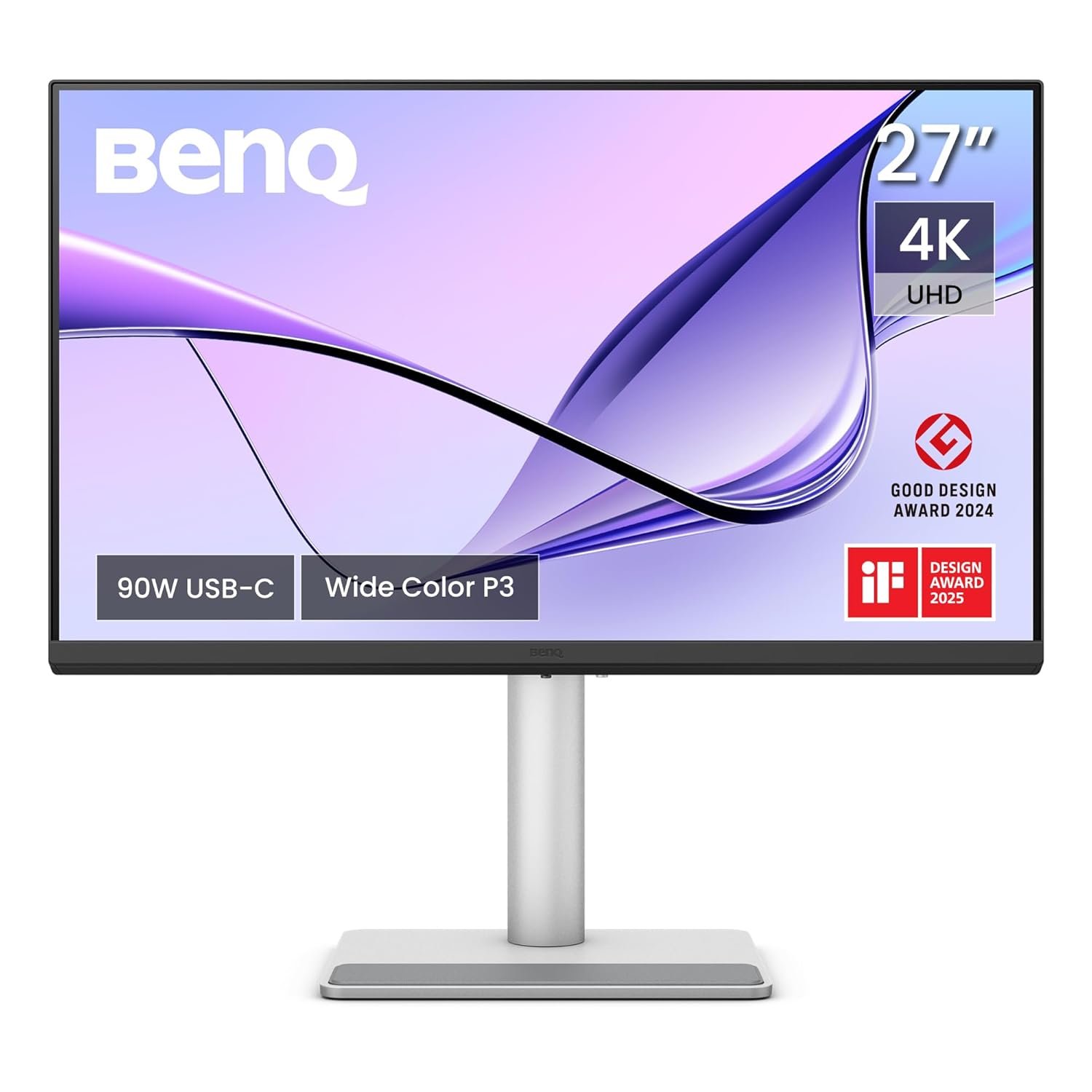
BenQ MA270U is a strong choice for editors working primarily with a MacBook Pro or MacBook Air. Its 27-inch 4K UHD resolution provides the pixel density needed for detailed timelines, sharp preview windows, and precise editing.
One of its biggest advantages is its Mac-focused connectivity and workflow integration. Dual USB-C connectivity, up to 90W power delivery, Mac Color Match, and Mac-based brightness and volume controls make it particularly convenient for Apple users.
The P3 color gamut is also useful for creators working with modern video content where wider color reproduction is important.
Key Highlights
- 27-inch 4K UHD resolution
- 3840 × 2160 resolution
- P3 color gamut
- Mac Color Match
- Dual USB-C connectivity
- Up to 90W power delivery
- Built-in USB hub
- Height and tilt adjustable stand
Best for: MacBook users, YouTubers, content creators, and video editors who want a clean 4K editing setup.
2. ASUS ProArt Display PA279CRV – Best for Professional Color Work
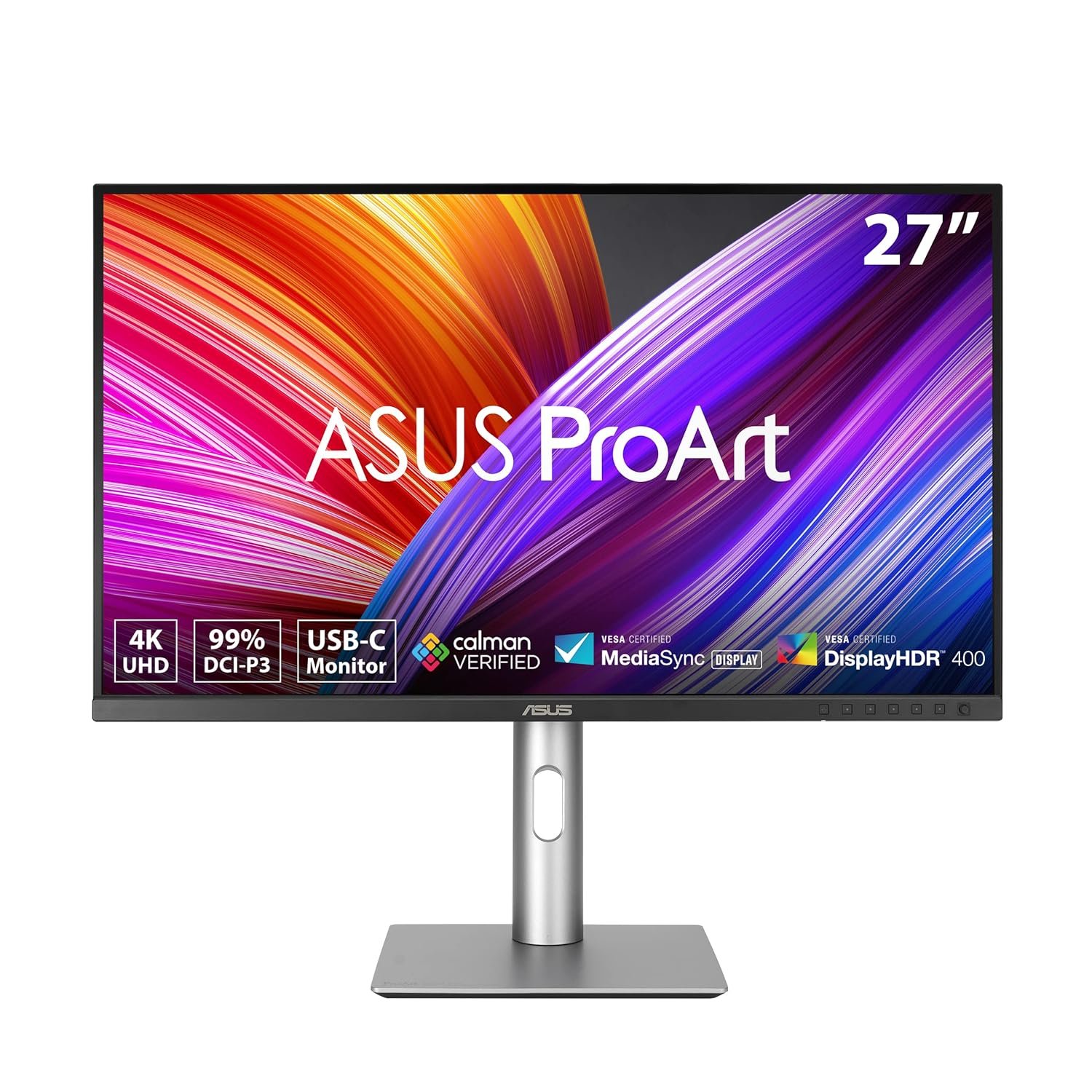
The ASUS ProArt Display PA279CRV is designed specifically for creative professionals. Its 27-inch 4K UHD IPS display combines high resolution with an exceptionally wide color gamut, making it suitable for video editing, photography, graphic design, and content production.
The standout feature is its 99% DCI-P3 and 99% Adobe RGB coverage. This gives editors a broad color space for working with professional video and photographic content.
The 4K resolution also provides plenty of workspace for editing software while maintaining sharp text and detailed footage previews.
Key Highlights
- 27-inch IPS display
- 4K UHD resolution
- 3840 × 2160 pixels
- 99% DCI-P3
- 99% Adobe RGB
- Designed for professional creative workflows
- Strong choice for color-sensitive applications
Best for: Professional video editors, photographers, graphic designers, and creators who prioritize wide-gamut color reproduction.
3. Dell UltraSharp U3225QE – Best Large-Screen 4K Editing Monitor
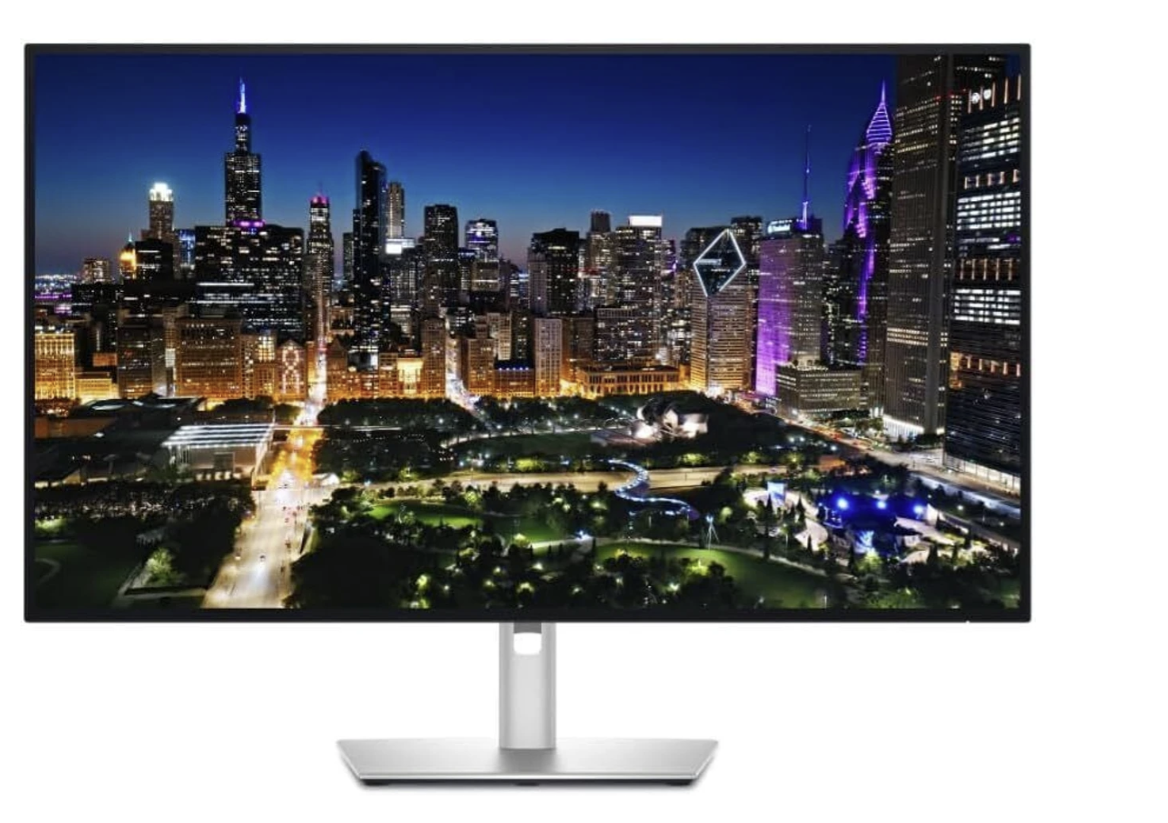
For editors who prefer a larger workspace, the Dell UltraSharp U3225QE offers a 32-inch 4K Ultra HD display. The larger screen can make a significant difference when working with complex editing timelines, multiple application windows, color panels, and video previews simultaneously.
Its Thunderbolt hub functionality also makes it suitable for professional workstations where connectivity and desktop organization matter.
A 32-inch 4K display provides an excellent balance between screen size and sharpness. It can be particularly useful for editors who spend long hours working with large timelines and multiple creative applications.
Key Highlights
- 32-inch display
- 4K Ultra HD resolution
- Professional UltraSharp series
- Thunderbolt hub functionality
- Large workspace for editing applications
- Suitable for multitasking
- Designed for professional productivity
Best for: Professional editors, content production studios, multitaskers, and users who prefer a larger 32-inch editing workspace.
4. BenQ SW272U – Best Monitor for Color-Critical Video Editing
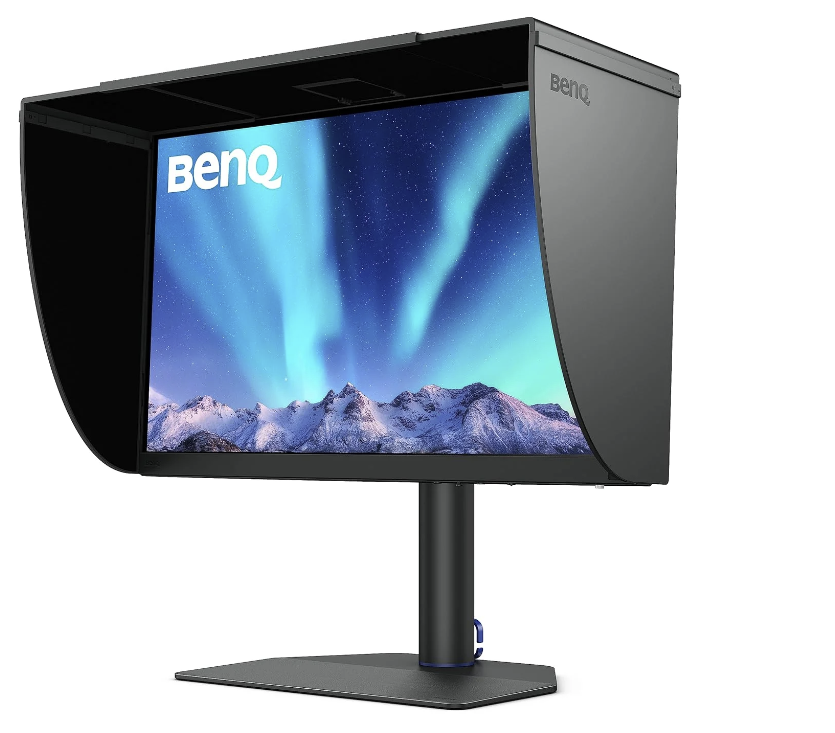
For editors where color accuracy is the highest priority, the BenQ SW272U is one of the most specialized options on this list. It combines 4K resolution with an extremely wide color gamut and professional color-focused features.
It covers 99% Adobe RGB and 99% P3, while its Delta E <1.5 color accuracy specification is designed for demanding creative workflows.
The monitor also supports HDR10 and HLG, while the included shading hood helps reduce distracting ambient light during color-sensitive work. A USB-C connection with 90W power delivery and an integrated card reader further enhance its professional workflow capabilities.
Key Highlights
- 27-inch 4K UHD display
- 3840 × 2160 resolution
- 99% Adobe RGB
- 99% P3
- Delta E <1.5
- HDR10 and HLG support
- USB-C with 90W power delivery
- Shading hood
- Pantone Validated
- Built-in card reader
Best for: Professional video editors, photographers, colorists, and creators who require precise and consistent color reproduction.
5. LG 32UN880K – Best for Editing and Everyday Productivity
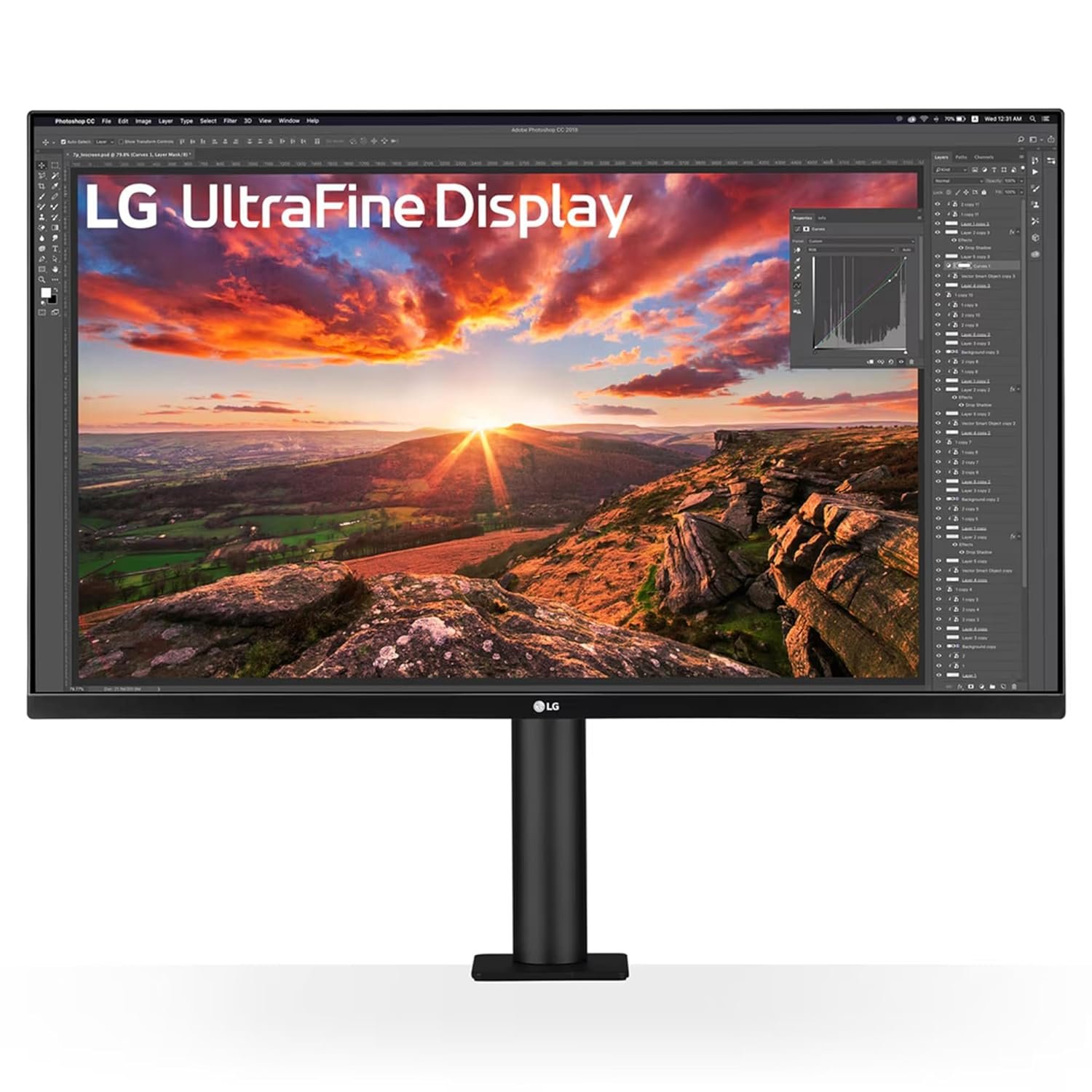
The LG 32UN880K is a versatile 31.5-inch 4K UHD IPS monitor that combines a large workspace with features designed for both creative work and everyday productivity.
Its 95% DCI-P3 color gamut provides a wide color range for video and image editing, while HDR10 support can enhance compatible content. The 4K resolution gives editors plenty of space for timelines, preview windows, and editing panels. Another major attraction is its Ergo Stand, which provides extensive positioning flexibility. USB-C connectivity with 60W power delivery also makes it convenient for laptop-based editing setups.
Key Highlights
- 31.5-inch IPS display
- 4K UHD resolution
- 3840 × 2160 pixels
- 95% DCI-P3
- HDR10
- Ergo Stand
- USB-C with 60W power delivery
- Dual HDMI
- DisplayPort
- Built-in speakers
Best for: Video editors, content creators, freelancers, home studios, and professionals who want a large 4K display for both editing and everyday work.
What Makes a Good Monitor for Video Editing?
Choosing the right editing monitor involves more than simply looking for a 4K label. Several specifications can influence the editing experience.
1. 4K Resolution
A 3840 × 2160 4K UHD monitor provides considerably more detail than a Full HD display. It is particularly useful when editing 4K footage because editors can view more image detail while keeping editing controls and timelines visible.
2. Wide Color Gamut
Color gamut determines how much of a particular color space the monitor can reproduce. Displays offering DCI-P3 and Adobe RGB coverage are particularly useful for professional creative workflows.
3. Color Accuracy
High color accuracy is essential when the final video needs to look consistent across different screens. Professional monitors such as the BenQ SW272U and ASUS ProArt PA279CRV are designed with color-sensitive workflows in mind.
4. HDR Support
HDR can provide a wider range between dark and bright areas when working with compatible footage. Support for standards such as HDR10 or HLG can therefore be valuable for modern video production.
5. Connectivity
Modern editors often connect laptops, storage devices, cameras, and other peripherals. USB-C, Thunderbolt, DisplayPort, HDMI, and integrated hubs can reduce cable clutter and simplify the workstation.
Which Monitor Should You Choose?
The best choice depends on the type of editing work and the rest of the setup.
- Best for MacBook users: BenQ MA270U
- Best for professional color work: BenQ SW272U
- Best for Adobe RGB and DCI-P3 coverage: ASUS ProArt PA279CRV
- Best large-screen option: Dell UltraSharp U3225QE
- Best for editing plus productivity: LG 32UN880K
For serious color-critical work, the BenQ SW272U stands out because of its combination of 4K resolution, 99% Adobe RGB, 99% P3 coverage, and Delta E <1.5 accuracy.
For MacBook-based workflows, the BenQ MA270U offers a particularly convenient combination of 4K resolution, P3 color, USB-C connectivity, 90W power delivery, and Mac-focused features.
Final Verdict
A good video editing monitor should make it easier to see details, judge colors accurately, manage complex timelines, and work comfortably for extended periods. In 2026, 4K resolution, wide-gamut color, HDR support, USB-C connectivity, and professional calibration have become important considerations for creators.
The five monitors featured here cover different editing requirements. The BenQ MA270U is particularly appealing for Mac users, the ASUS ProArt PA279CRV is built around professional color workflows, the Dell UltraSharp U3225QE provides a spacious 32-inch workspace, the BenQ SW272U targets color-critical professionals, and the LG 32UN880K combines creative capabilities with flexible ergonomics.
Before choosing a monitor, consider the type of footage being edited, required color space, preferred screen size, computer connectivity, and whether the monitor will also be used for photography, graphic design, or general productivity.
Frequently Asked Questions
Is 4K necessary for video editing?
4K is not mandatory, but it provides significantly more workspace and image detail, making it a strong choice for modern video editing workflows.
Which is more important for video editing: 4K or color accuracy?
Both matter, but for professional color-sensitive work, accurate and consistent color reproduction can be more important than simply having a higher resolution.
Is a 27-inch monitor good for video editing?
Yes. A 27-inch 4K monitor provides a sharp image and a practical workspace while taking up less desk space than larger displays.
Is a 32-inch monitor better for video editing?
A 32-inch display can provide more comfortable space for timelines, preview windows, and editing panels. It is especially useful for multitasking.
What color gamut should a video editing monitor have?
For modern video workflows, broad DCI-P3 coverage is valuable. Editors working across photography and print workflows may also benefit from high Adobe RGB coverage.
Recent Comments