
MacBook displays are known for sharp text, wide colour and excellent pixel density. The problem often begins when you connect that Mac to an ordinary external monitor.
Text may no longer look as crisp. Colours may appear slightly different. Brightness controls stop behaving like they do on the MacBook. And a setup that looked beautifully simple with a laptop can quickly become a collection of display cables, chargers, hubs and adapters.
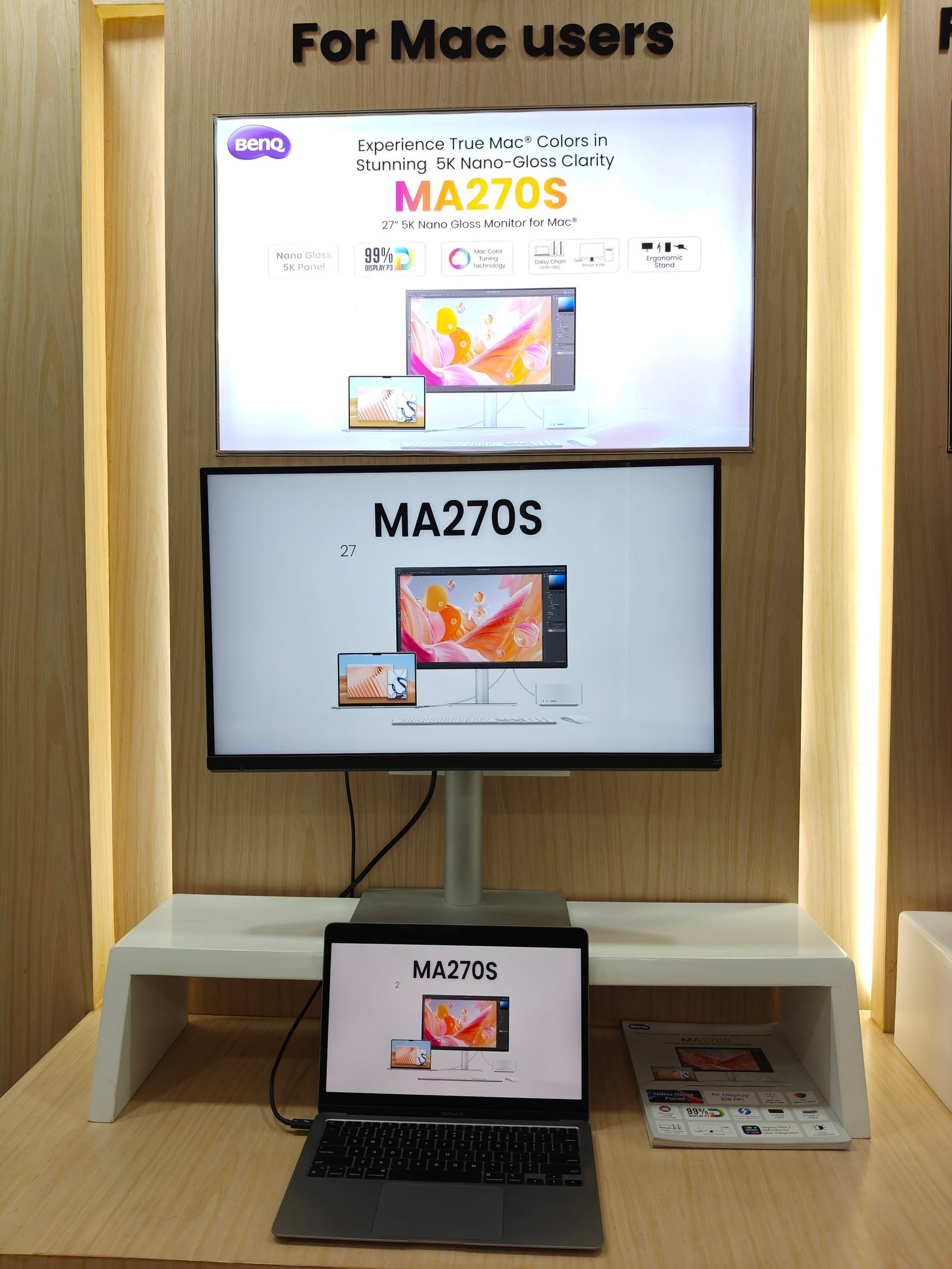
The BenQ MA270S has been created specifically to solve those problems.
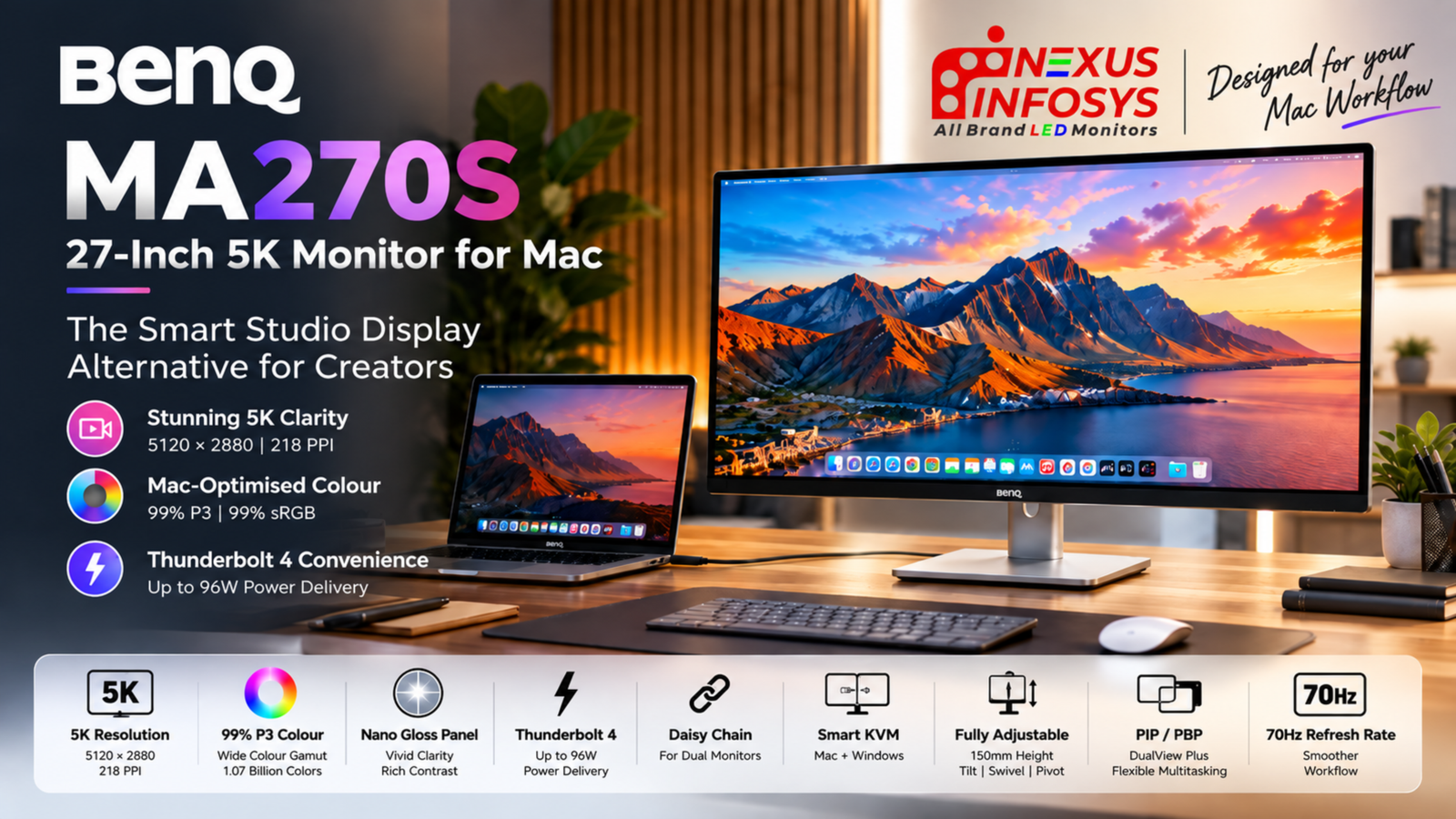
This 27-inch 5K monitor for Mac combines a 5120 × 2880 resolution, 218 PPI pixel density, Nano Gloss panel, 99% P3 colour coverage, 70Hz refresh rate, dual Thunderbolt 4, 96W Power Delivery, Smart KVM and Thunderbolt daisy chaining.
Rather than being another monitor that simply happens to work with macOS, the MA270S is designed around the way MacBook Pro, MacBook Air, Mac mini and Mac Studio users actually work.
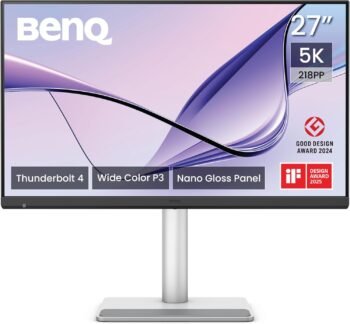
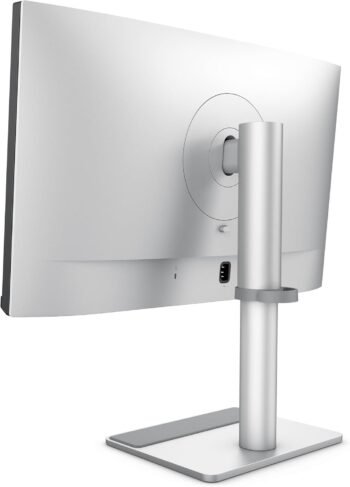
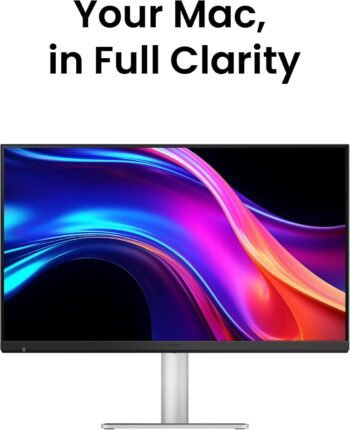
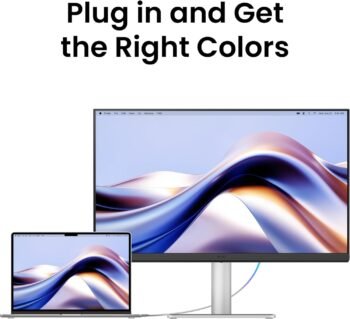
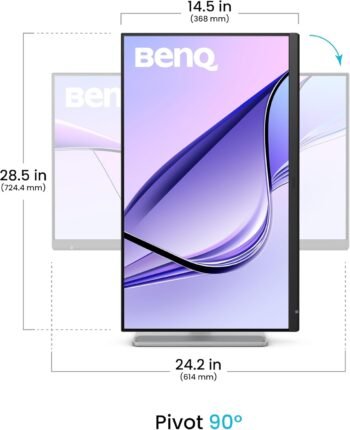
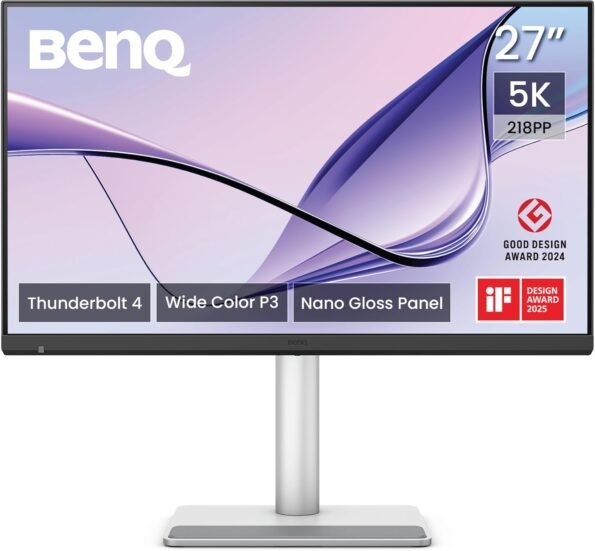
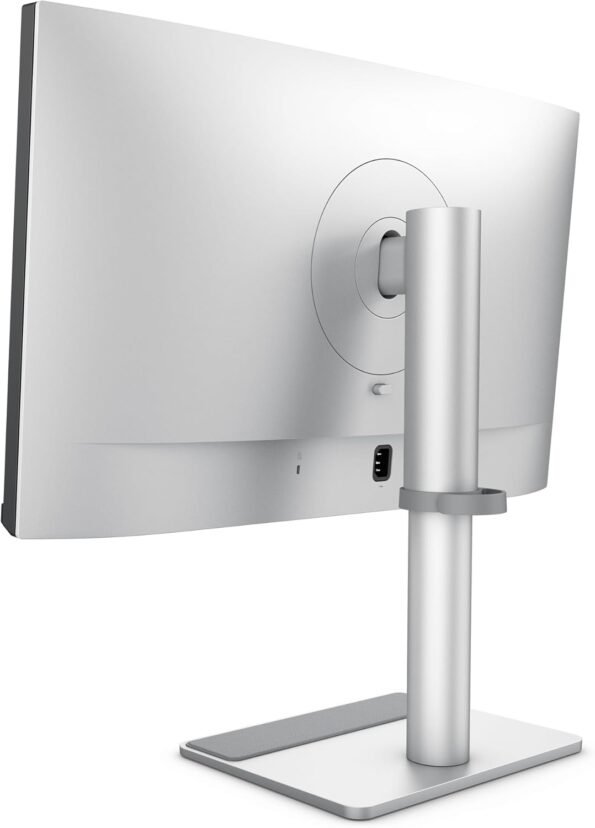
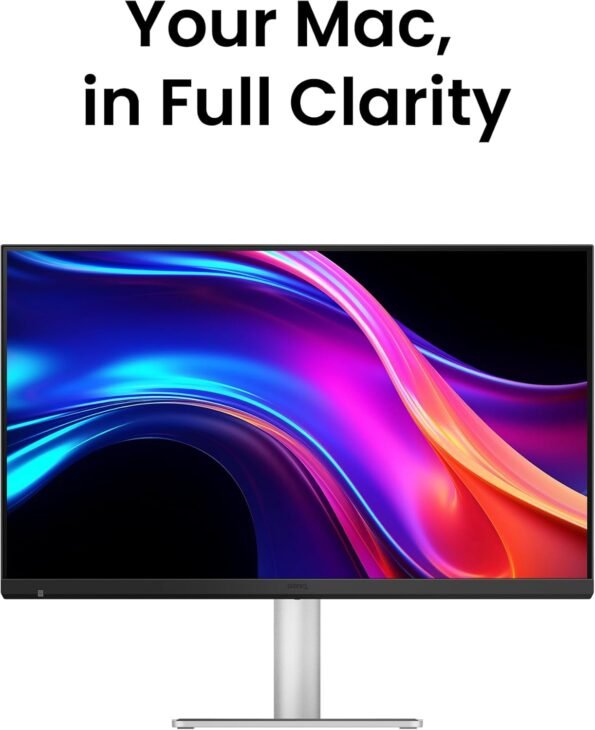
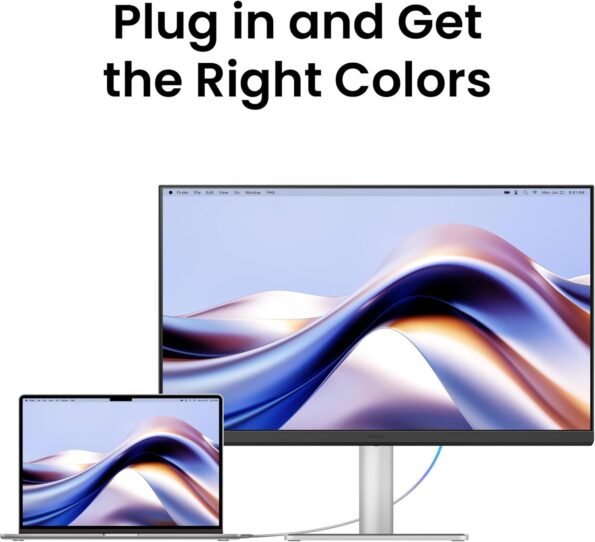
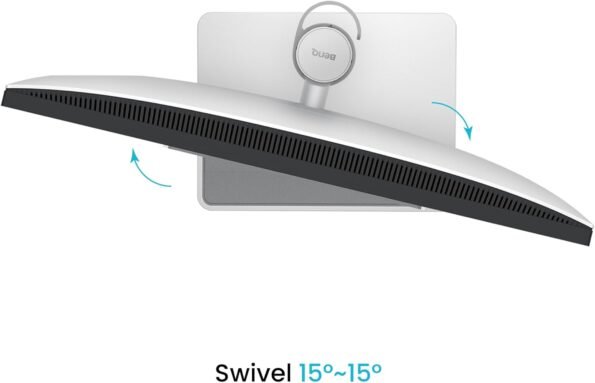
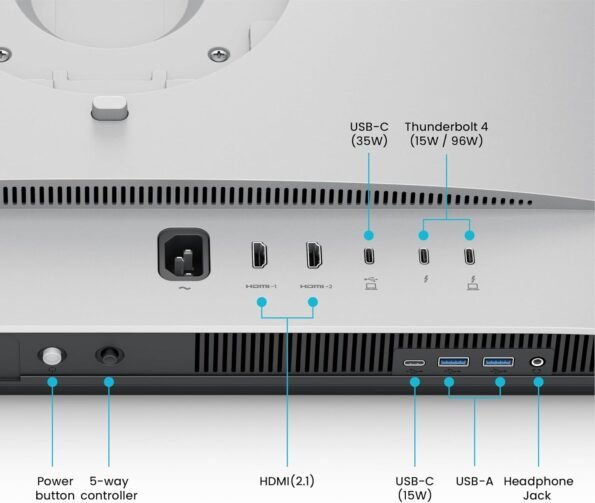
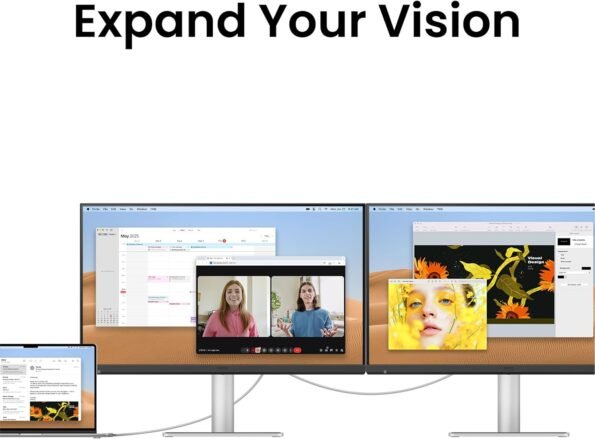
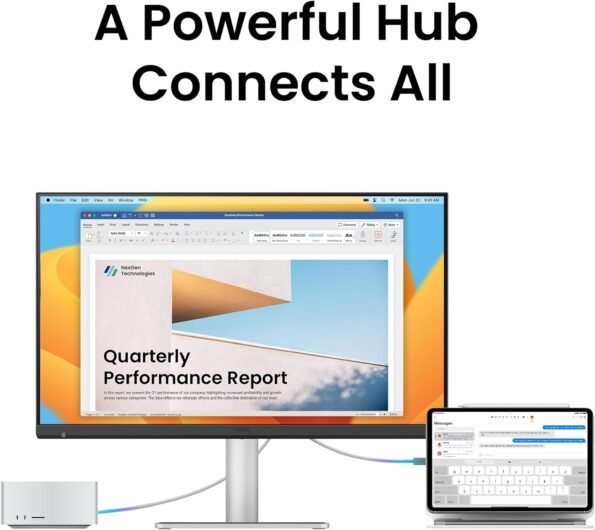
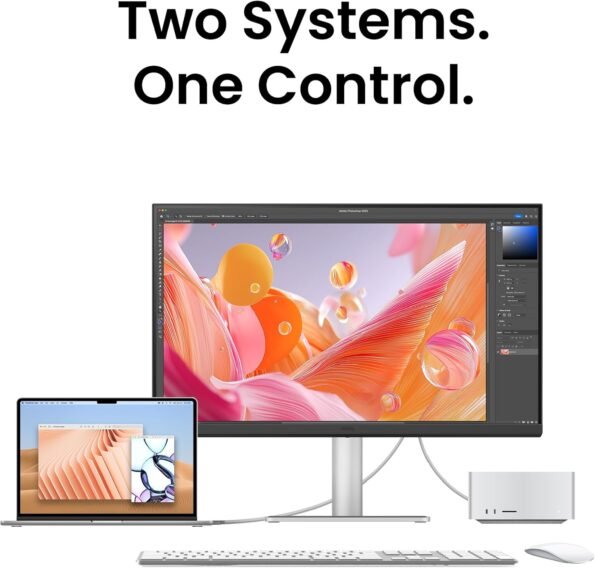
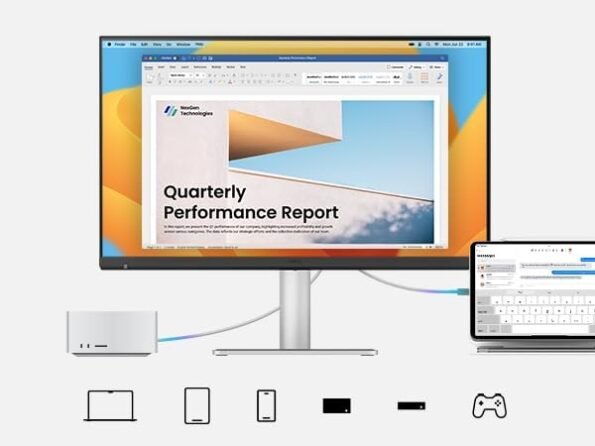
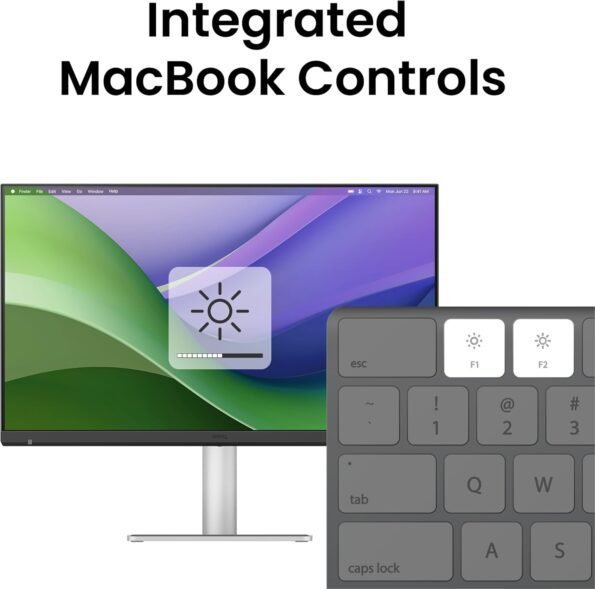
BenQ MA270S 27 Inch 5K UHD Nano Gloss Mac Monitor with Thunderbolt 4
Why 27-Inch 5K Is Such a Good Match for macOS
The headline specification is 5120 × 2880 resolution on a 27-inch panel.
That gives the BenQ MA270S a pixel density of approximately 218 pixels per inch.
Why does that number matter?
Because pixel density has a major impact on how macOS text and interface elements look. A higher pixel density lets the operating system render fonts, icons and graphics with much finer detail while still keeping everything at a comfortable physical size.
This is one of the reasons 27-inch 5K displays have traditionally been so attractive to Mac users.
The Businessworld review specifically highlights that 218 PPI places the MA270S in similar pixel-density territory to Apple’s high-resolution displays, resulting in very sharp text and detailed visual work. Pasted markdown
For users working all day with typography, code, photographs, spreadsheets or editing timelines, that difference can be more meaningful than simply buying a physically larger 4K monitor.
5K Gives Creators More Than Just Sharp Text
Five-kilobyte resolution is especially useful for creative work.
Video editors can work with high-resolution footage while retaining space for toolbars and timelines.
Photographers can inspect fine details without constantly zooming.
Graphic designers can work on dense layouts while maintaining excellent edge definition.
Developers benefit from highly legible text across large code windows.
The MA270S therefore makes most sense when the extra resolution is actually being used—not simply because “5K” looks impressive on a specification sheet.
Nano Gloss: Designed for the Mac-Like Look
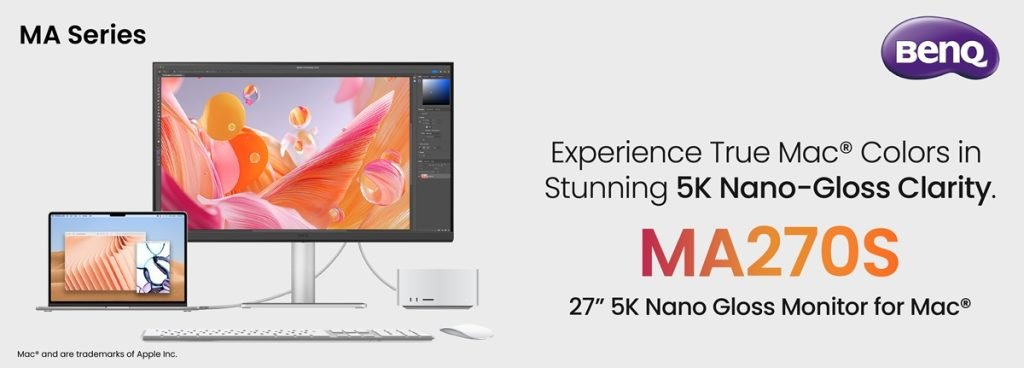
The MA270S uses a Nano Gloss panel rather than a conventional heavily matte screen.
That decision matters.
Glossy displays tend to produce a clearer, more immediate visual presentation, with stronger perceived depth and less diffusion over fine detail. BenQ pairs the panel with a 2000:1 contrast ratio and 450-nit brightness.
The aim is to provide the vivid, clean presentation that many MacBook users are accustomed to.
One of the first-page reviews describes Nano Gloss as an attempt to retain the depth of a glossy screen while managing reflections better than a conventional gloss surface.
There is still an important consideration: if your monitor sits directly opposite a bright window or strong office lighting, a glossy display may show more reflections than a traditional matte monitor.
That is worth considering before purchase.
99% P3: Built Around the Apple Colour Ecosystem
Resolution is only half the story for creators.
The MA270S covers 99% of the P3 colour gamut, alongside 99% sRGB.
P3 is particularly relevant to Mac workflows because Apple uses wide-gamut P3 colour extensively across MacBooks, iPhones, iPads and other displays.
For photographers, video editors and designers, the goal is to reduce the visual disconnect that can occur when moving content from a MacBook display onto a conventional external monitor.
The Businessworld review identifies P3 coverage and automatic profile syncing as two of the MA270S’s strongest solutions to the common problem of colour differences between a MacBook and external screen.
The MA270S also offers:
- Display P3 mode
- sRGB mode
- M-Book mode
- ICCsync
- Uniformity Technology
- HDR10
- VESA DisplayHDR 400
- 1.07 billion colours
For genuinely colour-critical work, calibration and proper colour management still matter. But the MA270S gives Mac users a much stronger starting point than a generic office monitor.
Display Pilot 2 Makes a Bigger Difference Than It Sounds
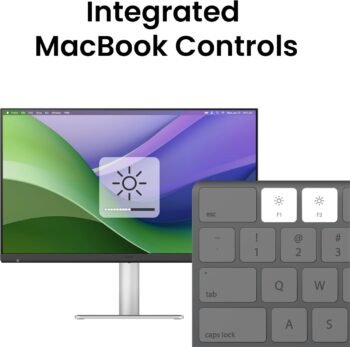
One of the less glamorous but more useful features is BenQ Display Pilot 2.
Normally, connecting a third-party display to a Mac can mean losing some of the small conveniences Mac users take for granted.
Brightness buttons may no longer control the external monitor.
Volume keys may not behave as expected.
Colour modes may need to be changed through physical monitor controls.
Display Pilot 2 attempts to bridge that gap.
It lets users manage supported monitor settings from macOS and enables brightness and volume control through compatible Mac keyboard shortcuts. Pasted markdown
The second review makes an important distinction, however: this is software-based integration rather than the same native hardware-level integration you get from an Apple display.
That is an important and fair distinction for buyers.
70Hz: Not a Gaming Feature, but a Welcome Upgrade
The MA270S operates at 70Hz.
Compared with a conventional 60Hz professional monitor, that means the display can update ten additional times every second.
Do not expect the transformation you would see moving from 60Hz to 144Hz or 240Hz.
Instead, the difference is more subtle:
- slightly smoother scrolling;
- smoother cursor movement;
- more fluid window animations;
- marginally smoother timeline navigation.
One first-page hands-on review describes the difference as noticeable but incremental rather than a major purchasing reason.
That is the right way to look at it.
The MA270S is a 5K creator monitor first, not a gaming display.
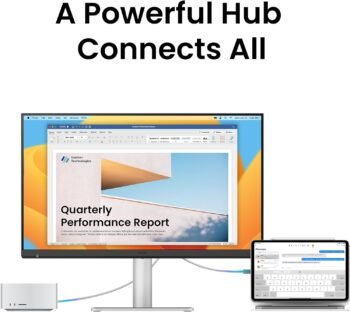
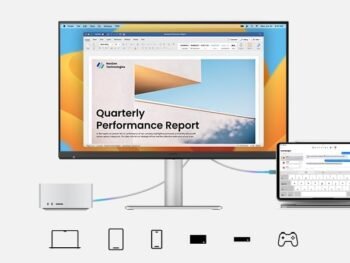
Thunderbolt 4 Turns It Into a MacBook Dock
The MA270S becomes much more interesting when you look beyond the panel.
Its main Thunderbolt 4 connection provides:
5K video + data + up to 96W charging
through a single cable.
That means a compatible MacBook user can arrive at their desk, connect one Thunderbolt cable and immediately have:
- the external 5K display;
- MacBook charging;
- access to connected USB peripherals;
- monitor audio;
- additional connected devices.
That single-cable workflow is one of the strongest practical advantages of the monitor.
Businessworld describes this as one of the product’s most compelling everyday benefits because it replaces separate display, USB-hub and charging connections.
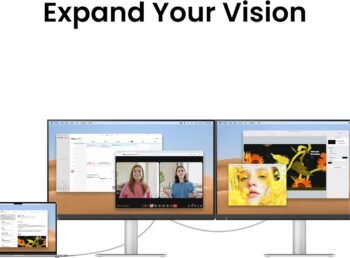
Daisy Chain for a Cleaner Dual-Monitor Setup
The second Thunderbolt 4 connection supports daisy chaining.
Instead of running an independent display cable from every compatible monitor back to the computer, a supported configuration can connect monitors sequentially.
For professionals using large editing timelines, multiple application windows or complex development environments, this can make a dual-monitor workstation significantly cleaner.
However, buyers should always check the external-display capabilities of their exact Mac model before planning a dual-5K configuration.
Different Apple Silicon chips support different numbers and combinations of external displays.
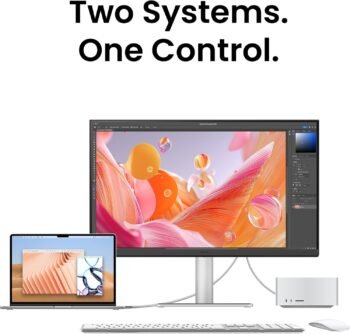
Smart KVM: Particularly Useful for Mac + Windows Users
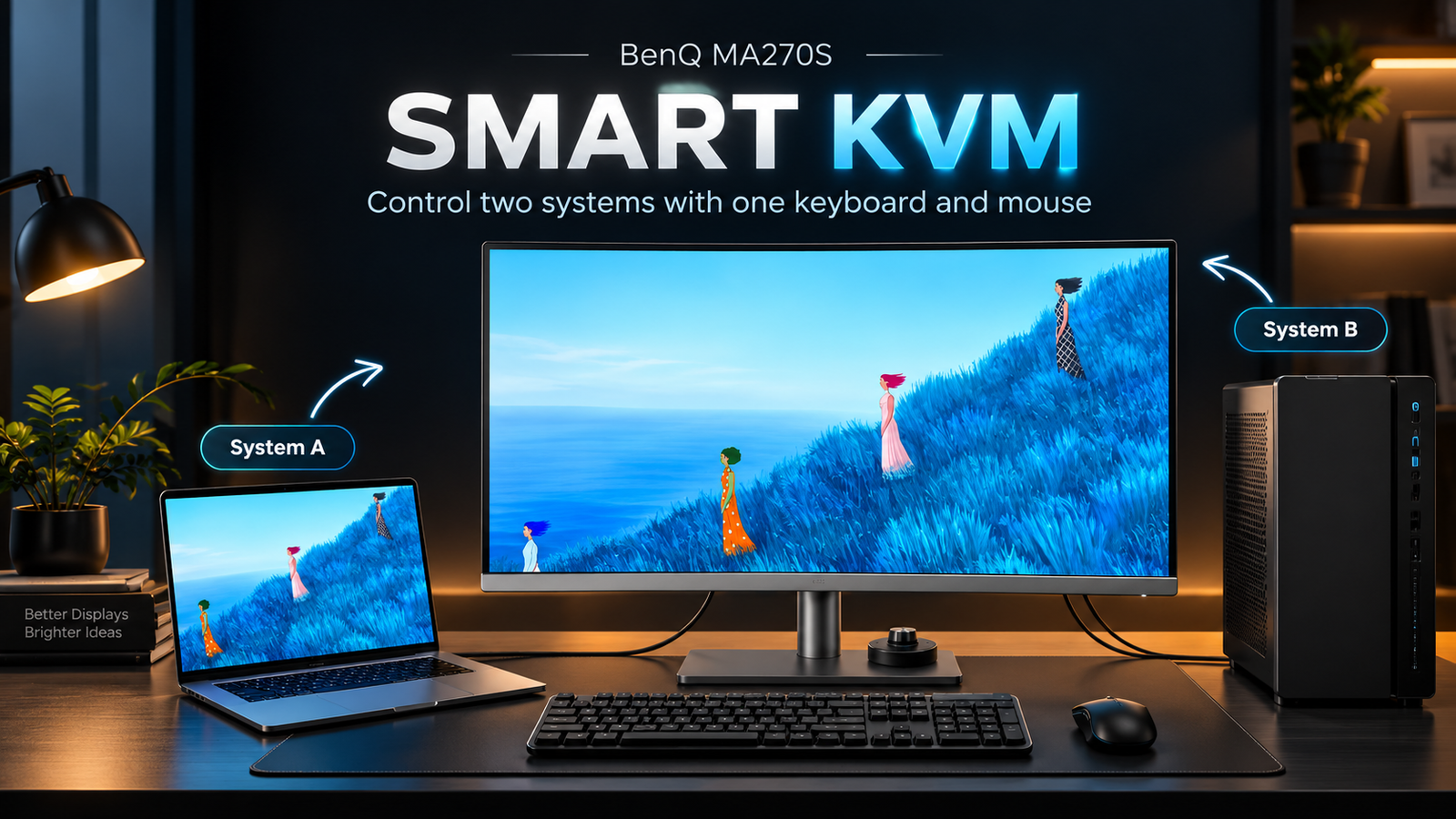
Smart KVM is another feature that separates the MA270S from a simple Mac-only display.
KVM stands for:
Keyboard, Video and Mouse.
The concept is straightforward.
Connect two compatible computers and use the same keyboard and mouse with both instead of maintaining duplicate peripherals.
For example:
MacBook Pro → Thunderbolt 4
and
Windows workstation → HDMI / USB
can share one set of desktop peripherals.
For creators who edit on a Mac but rely on Windows for another application, gaming system or company environment, this can eliminate a surprising amount of desk clutter.
One of the ranking articles specifically identifies Smart KVM as a major advantage for professionals working between Mac and Windows systems.
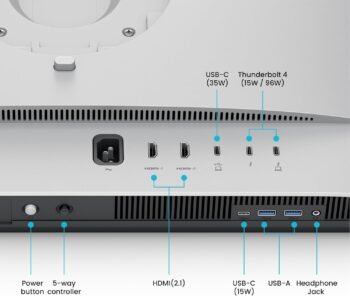
Connectivity Is One of the MA270S’s Biggest Advantages
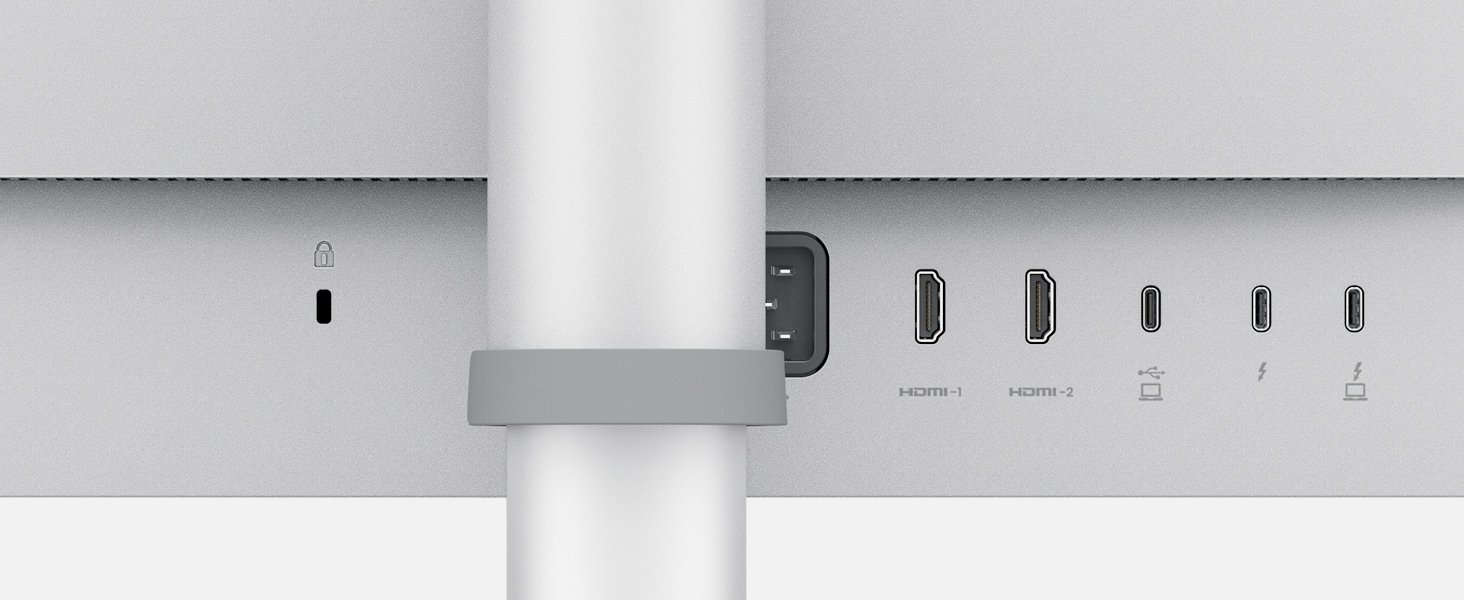
The MA270S provides considerably more connectivity than a minimal Mac-focused monitor.
| Connectivity | BenQ MA270S |
|---|---|
| Thunderbolt 4 input | Up to 96W Power Delivery |
| Thunderbolt 4 output | Up to 15W |
| HDMI | 2 × HDMI 2.1 |
| USB-C | Up to 35W PD |
| USB-A | 2 × USB 3.2 Gen 2 |
| USB-C downstream | Yes |
| Headphone output | Yes |
| Smart KVM | Yes |
| Daisy Chain | Yes |
This means the monitor can function as the central hub of the workstation, rather than merely being the screen attached to it.
PIP, PBP and DualView Plus
Users working with multiple systems can also take advantage of:
Picture-in-Picture
Picture-by-Picture
DualView Plus
These features allow content from different sources or configurations to be viewed simultaneously.
That can be particularly useful for:
- Mac + PC workflows;
- comparing content between two sources;
- editing while viewing a reference;
- monitoring another computer;
- productivity and development workflows.
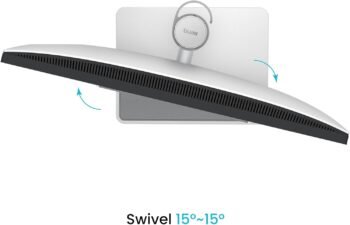
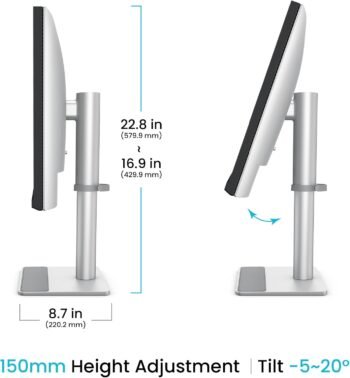
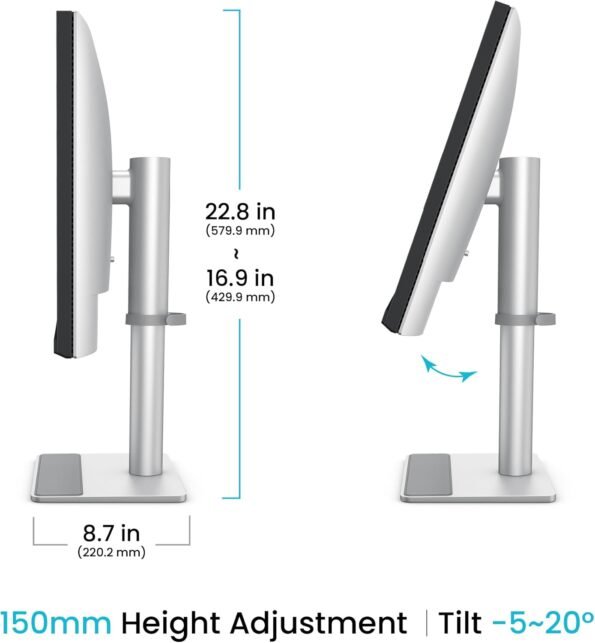
Fully Adjustable Stand
The MA270S includes a much more flexible stand than many premium displays.
You get:
- 150mm height adjustment
- Tilt
- Swivel
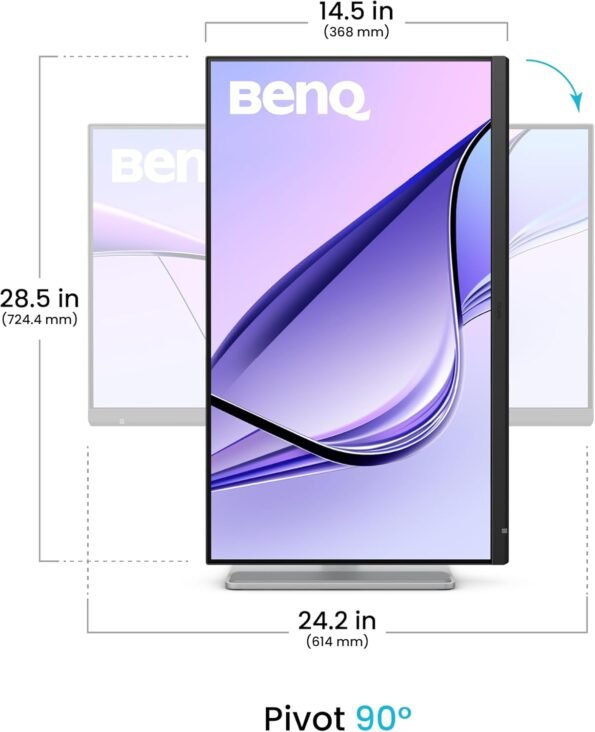
- 90° pivot
- 100 × 100mm VESA support
The ability to rotate the display vertically makes the 5K resolution especially interesting for developers, writers, website designers and users reviewing long documents.
The first-page reviews also highlight stand flexibility as one of the MA270S’s practical strengths.
BenQ MA270S vs Apple Studio Display: Different Priorities
This is the comparison many Mac users will naturally make.
Both target users who want a high-resolution 27-inch desktop experience, but they take different approaches
| Feature | BenQ MA270S | Apple Studio Display |
|---|---|---|
| Screen Size | 27-inch | 27-inch |
| Resolution | 5120 × 2880 | 5K |
| Pixel Density | 218 PPI | 218 PPI-class |
| Refresh Rate | 70Hz | 60Hz |
| Brightness | 450 nits | Higher |
| Wide P3 Colour | Yes | Yes |
| KVM | Yes | No |
| HDMI | Yes | No |
| USB-A | Yes | No |
| PIP / PBP | Yes | No |
| Flexible Standard Stand | Yes | Configuration dependent |
| Built-in Webcam | No | Yes |
| Microphones | No | Yes |
| Speaker System | Basic 2 × 3W | Much more advanced |
The key point is not that one display is universally better.
They prioritise different buyers.
Apple’s display offers a more complete all-in-one communication experience with its camera, microphones and stronger built-in audio.
The BenQ prioritises connectivity, KVM, workstation flexibility, ergonomics and compatibility with multiple systems.
One of the ranking comparisons makes this distinction particularly clear: the BenQ gives up Apple’s built-in camera, microphones and high-end speaker system but compensates with better stand flexibility and broader connectivity
Who Should Buy the BenQ MA270S?
The MA270S makes a particularly strong case for:
Photographers who want 5K detail and wide P3 coverage.
Video editors who need room for 4K footage, timelines and tools.
Graphic and UI designers who benefit from 218 PPI text and fine-detail rendering.
Developers who spend hours reading text and can use portrait orientation.
MacBook professionals who want single-cable charging and docking.
Mac + Windows users who can benefit from Smart KVM.
Mac mini and Mac Studio users building a dedicated desktop workstation.
BenQ MA270S Specifications
| Specification | Details |
| Display Size | 27-inch |
| Resolution | 5120 × 2880 5K |
| Pixel Density | 218 PPI |
| Panel | IPS |
| Surface | Nano Gloss |
| Refresh Rate | 70Hz |
| Response Time | 5ms GtG |
| Brightness | 450 nits |
| Contrast | 2000:1 |
| Colour Coverage | 99% P3 / 99% sRGB |
| Colours | 1.07 billion |
| HDR | HDR10 |
| HDR Certification | VESA DisplayHDR 400 |
| Thunderbolt 4 | Dual |
| Laptop Charging | Up to 96W |
| Daisy Chain | Yes |
| Smart KVM | Yes |
| HDMI | 2 × HDMI 2.1 |
| USB-C | Yes |
| Speakers | 2 × 3W |
| Height Adjustment | 150mm |
| Pivot | 90° |
| VESA | 100 × 100mm |
BenQ MA270S Price in India
Price is one of the most important search terms around the MA270S.
One of the Indian first-page reviews listed the monitor at ₹94,998 at publication time, confirming that it is positioned as a premium professional display rather than a mainstream office monitor. Pasted markdown
Retail pricing can change, so the article should link directly to your live MA270S product page rather than hard-coding an offer price throughout the article.
For the latest BenQ MA270S price in India, stock availability, GST invoice and delivery information, customers can check Nexus Infosys.
Final Thoughts: Is the BenQ MA270S Worth Considering?
The strongest argument for the BenQ MA270S isn’t any single specification.
It is how the features work together.
The 5120 × 2880 resolution and 218 PPI provide the sharpness Mac users expect from a premium display.
99% P3 and Mac-focused colour features make it more relevant to creative professionals.
Thunderbolt 4 with 96W charging creates a genuinely useful single-cable MacBook workflow.
And features such as Smart KVM, HDMI 2.1, USB connectivity, PIP/PBP, daisy chaining and the fully adjustable stand give it more workstation flexibility than many Mac-centric displays.
The compromises are equally clear: no integrated webcam or microphone, modest built-in speakers and a refresh rate aimed at creators rather than gamers.
For the right buyer, though, those compromises may matter far less than having a sharp 27-inch 5K workspace that integrates closely with a Mac while still remaining flexible enough for other computers and peripherals.
For MacBook Pro, MacBook Air, Mac mini and Mac Studio users searching for a serious 5K external monitor for creative and professional work, the BenQ MA270S deserves a place near the top of the shortlist.
Frequently Asked Questions
Is the BenQ MA270S a true 5K monitor?
Yes. It uses a native 5120 × 2880 resolution on a 27-inch panel, producing approximately 218 PPI.
Why is 218 PPI useful for Mac?
Higher pixel density allows macOS to render text, icons and graphics with much finer detail, producing a sharper desktop experience than lower-density displays.
Does the BenQ MA270S charge a MacBook Pro?
Yes. Its primary Thunderbolt 4 connection supports up to 96W Power Delivery.
Can the MA270S connect using one cable?
Yes. A compatible MacBook can carry display, data and charging through a single Thunderbolt 4 connection.
Does the BenQ MA270S support KVM?
Yes. Smart KVM allows compatible computers to share a keyboard and mouse.
Can the MA270S be used vertically?
Yes. Its stand supports 90-degree pivot, and Auto Pivot functionality can help adapt compatible display settings.
Does the MA270S support dual-monitor setups?
Yes. It supports Thunderbolt daisy chaining, although the number and resolution of external displays supported also depend on the specific Mac model and processor.
Is the MA270S good for gaming?
It can handle casual gaming at up to 70Hz, but it is designed primarily for creative and professional productivity rather than competitive gaming.
Is the MA270S suitable for photography?
Its 5K resolution, 218 PPI, 99% P3 coverage, ICCsync and Uniformity Technology make its specifications particularly relevant for photography and visual creative workflows.
Is the BenQ MA270S an Apple Studio Display alternative?
It targets a similar 27-inch 5K Mac user but emphasises different features. The MA270S offers KVM, HDMI, broader connectivity and more ergonomic flexibility, while Apple’s display places greater emphasis on its integrated camera, microphone and speaker system.