

Description
BenQ MA270S 27 Inch 5K Nano Gloss Monitor for Mac Creators, Dual Thunderbolt 4 96W/15W, Mac Color, Daisy Chain, KVM, Brightness & Volume Control on Mac, Height & Tilt Adjustment, P3 Color Gamut
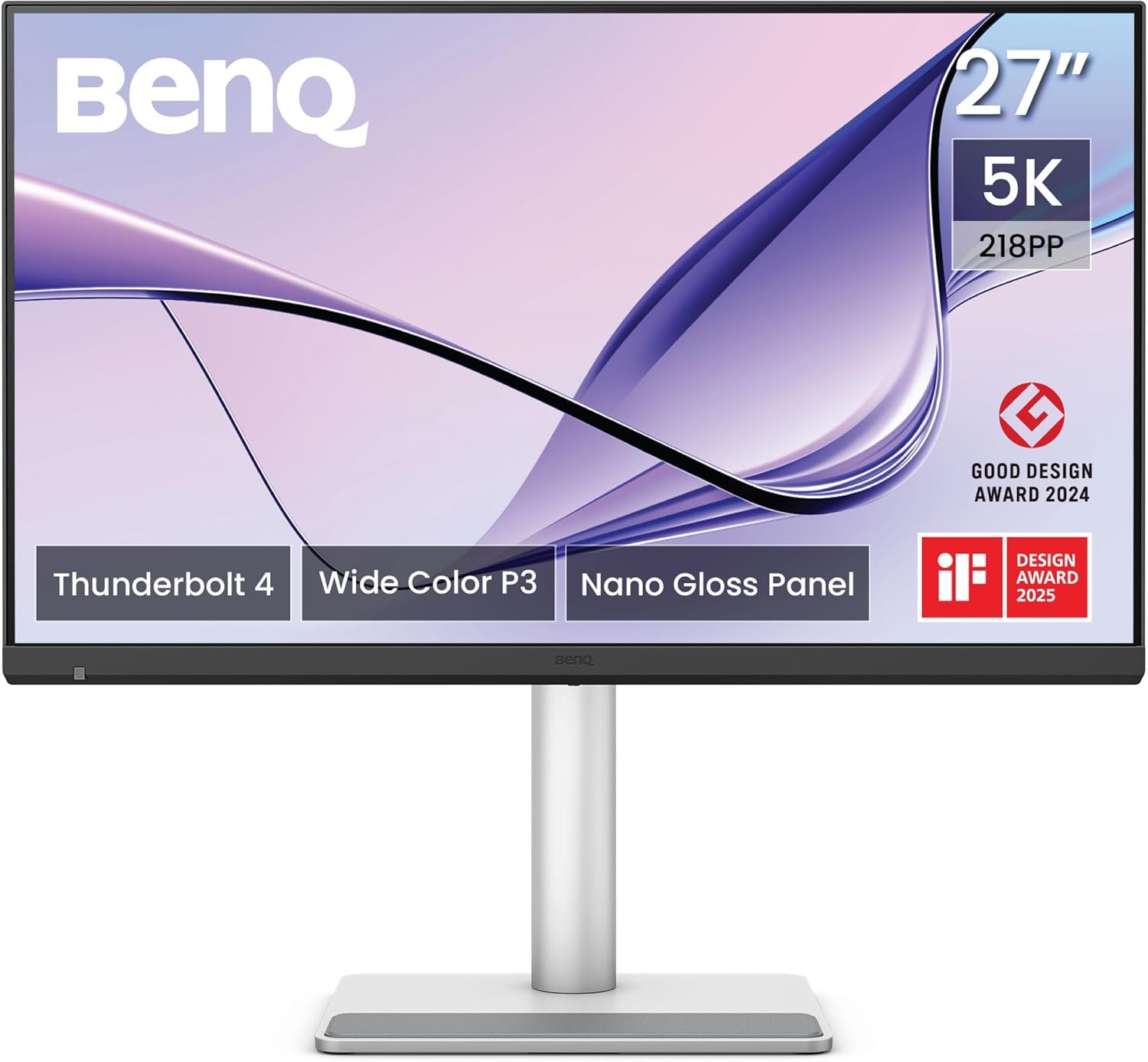
The BenQ MA270S is a premium 27-inch 5K monitor for MacBook and creative professionals, designed to deliver exceptional image detail, accurate colours and seamless connectivity for modern Apple workflows. With its 5120 × 2880 5K UHD resolution, 218 PPI, IPS panel and Nano Gloss surface, the MA270S provides an exceptionally detailed viewing experience for photography, graphic design, video content, digital creation and everyday productivity.
The monitor is designed as a seamless extension of the Mac workspace. BenQ Mac Color Tuning technology, a wide 99% P3 colour gamut, 99% sRGB coverage and support for 1.07 billion colours help provide a consistent and vibrant visual experience alongside compatible Mac devices.
The MA270S also combines dual Thunderbolt 4 connectivity, including 96W Power Delivery, Thunderbolt daisy chaining and a 15W Thunderbolt output. A dedicated USB-C connection provides additional 35W Power Delivery, while integrated KVM, PIP/PBP and DualView Plus features make it easier to manage multiple devices and workflows.
For long creative and productivity sessions, the monitor features Eye Comfort 3.0, EyeSafe 2.0, Flicker-Free technology, Low Blue Light, Color Weakness mode, ePaper and Visual Optimizer. Its fully adjustable stand provides 150mm height adjustment, tilt, swivel and pivot functionality, making the MA270S a versatile premium display for Mac users.
27-Inch 5K Display with 218 PPI
The BenQ MA270S features a 27-inch IPS display with an impressive 5120 × 2880 5K resolution.
With 218 PPI, the monitor provides extremely high pixel density, allowing text, images, graphics and fine design elements to appear exceptionally detailed.
The 5K resolution provides substantially more pixels than standard 4K, creating additional workspace and improved image definition for demanding creative applications.
It is particularly useful for:
- Photo editing
- Graphic design
- Video editing
- UI/UX design
- Digital illustration
- Content creation
- Programming
- Document work
- High-resolution media
- Professional Mac workflows
Nano Gloss Panel for Exceptional Image Clarity
The Nano Gloss panel is one of the defining features of the MA270S.
The glossy surface is designed to provide a clear and refined image presentation with deep blacks, brilliant highlights and natural contrast.
The Nano Gloss finish helps reveal fine details within photographs, graphics, videos and other high-resolution content.
The result is a highly detailed viewing experience that complements the monitor’s 5K resolution and wide colour gamut.
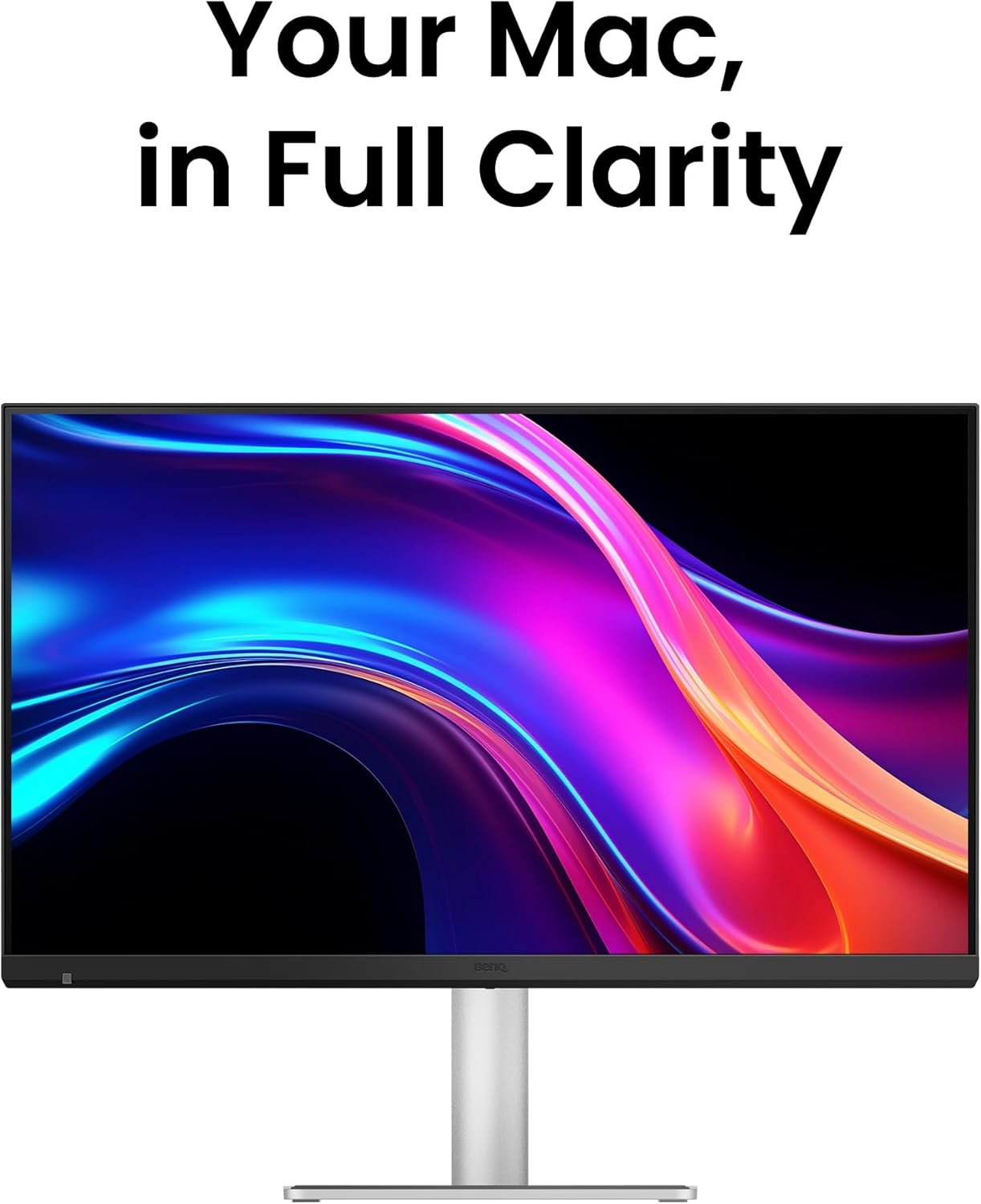
Mac Colors in Full 5K Clarity
The MA270S is specifically designed to integrate with Mac workflows.
BenQ’s Mac Color Tuning technology helps provide consistent colour reproduction when the monitor is used alongside compatible Mac devices.
The monitor supports:
- 99% P3 Colour Gamut
- 99% sRGB Colour Gamut
- 1.07 Billion Colours
- Display P3 Mode
- sRGB Mode
- M-Book Mode
- HDR Mode
This makes the MA270S suitable for users who want a larger external display while maintaining a familiar Mac-focused colour experience.
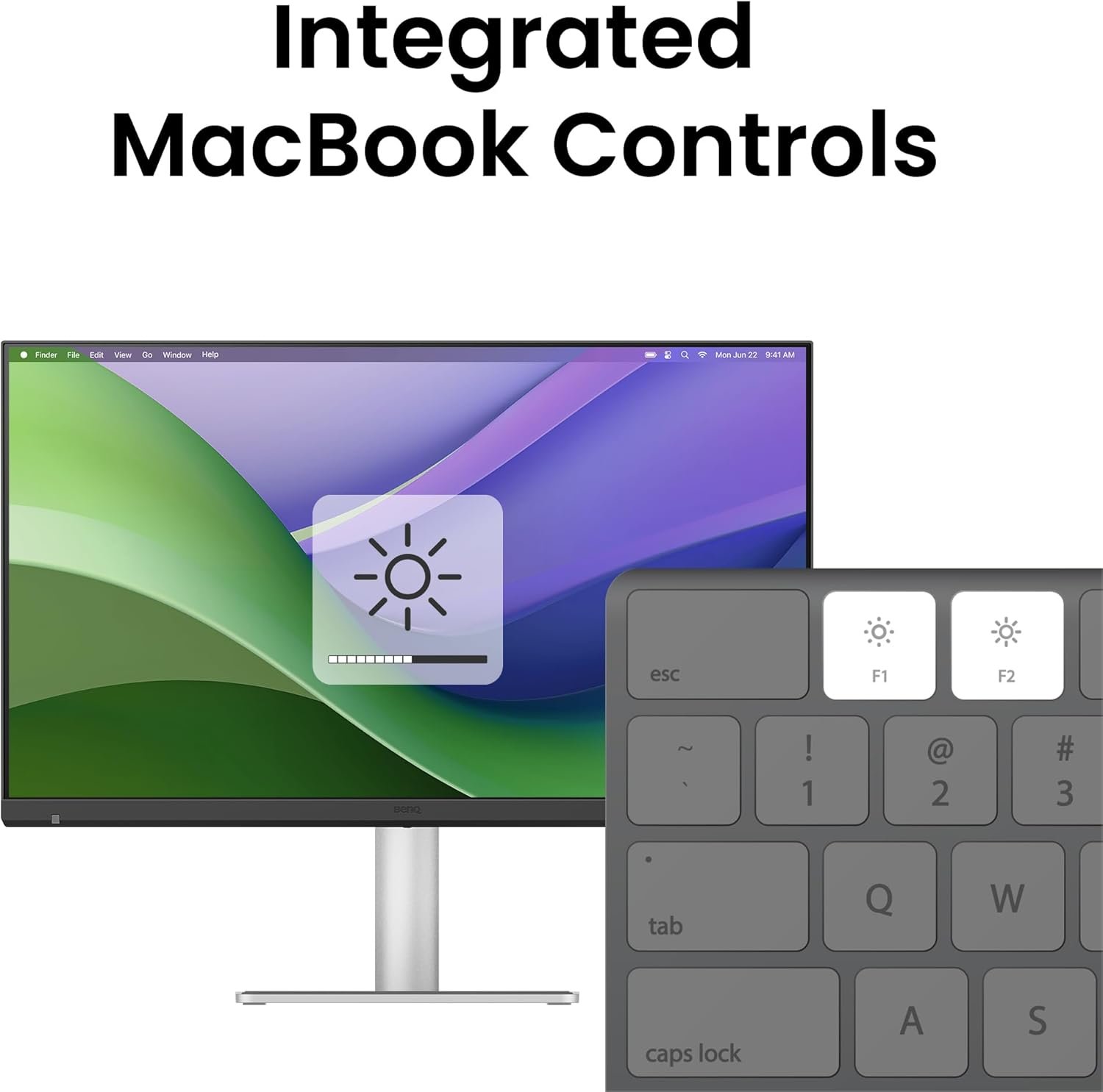
Sync with MacBook Control
The Sync with MacBook Control feature allows compatible monitor controls to work together with MacBook controls.
Supported brightness and volume adjustments can be synchronised between the MacBook and monitor using compatible keyboard controls.
This creates a more seamless experience when moving between the MacBook’s built-in display and the external MA270S.
450 Nits Brightness & 2000:1 Contrast
The MA270S provides 450 nits typical brightness and a 2000:1 native contrast ratio.
The high contrast ratio helps create stronger separation between dark and bright areas, while 450 nits brightness provides clear and vibrant visuals for creative applications, productivity and multimedia.
The monitor also supports HDR10 and VESA DisplayHDR 400, enhancing compatible HDR content with greater tonal range and visual depth.
HDR Features
- HDR10
- VESA DisplayHDR 400
- 450 Nits Typical Brightness
- 450 Nits HDR Peak Brightness
- 2000:1 Native Contrast
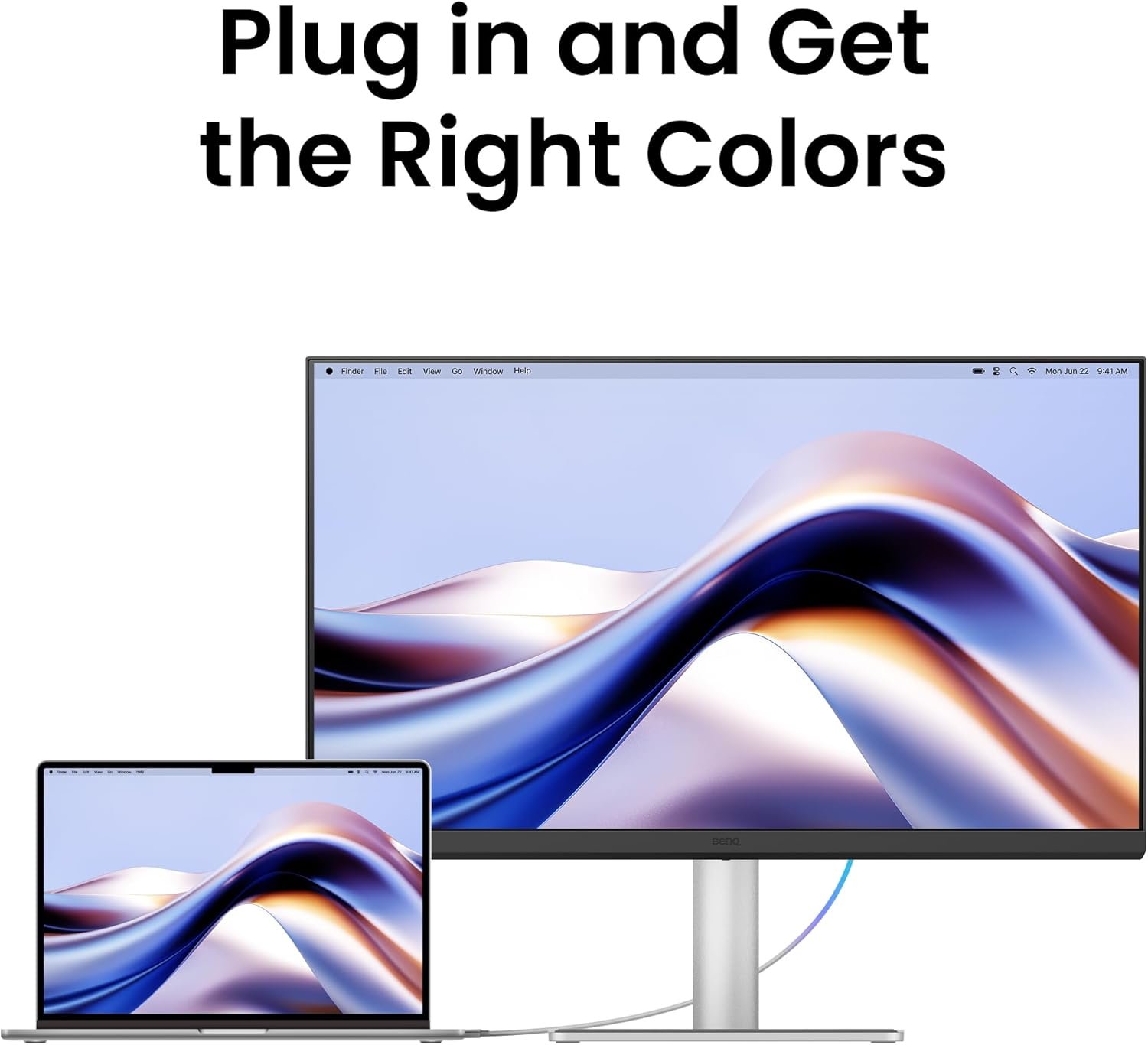
Thunderbolt 4 with 96W Power Delivery
The MA270S is built around modern Thunderbolt 4 connectivity, making it particularly useful for MacBook-based workstations.
The primary Thunderbolt 4 port supports:
- DisplayPort Alternate Mode
- Data Transfer
- Up to 96W Power Delivery
This allows a compatible MacBook to connect to the monitor through a single Thunderbolt cable while receiving up to 96W of power.
This helps reduce cable clutter and creates a cleaner desktop setup.
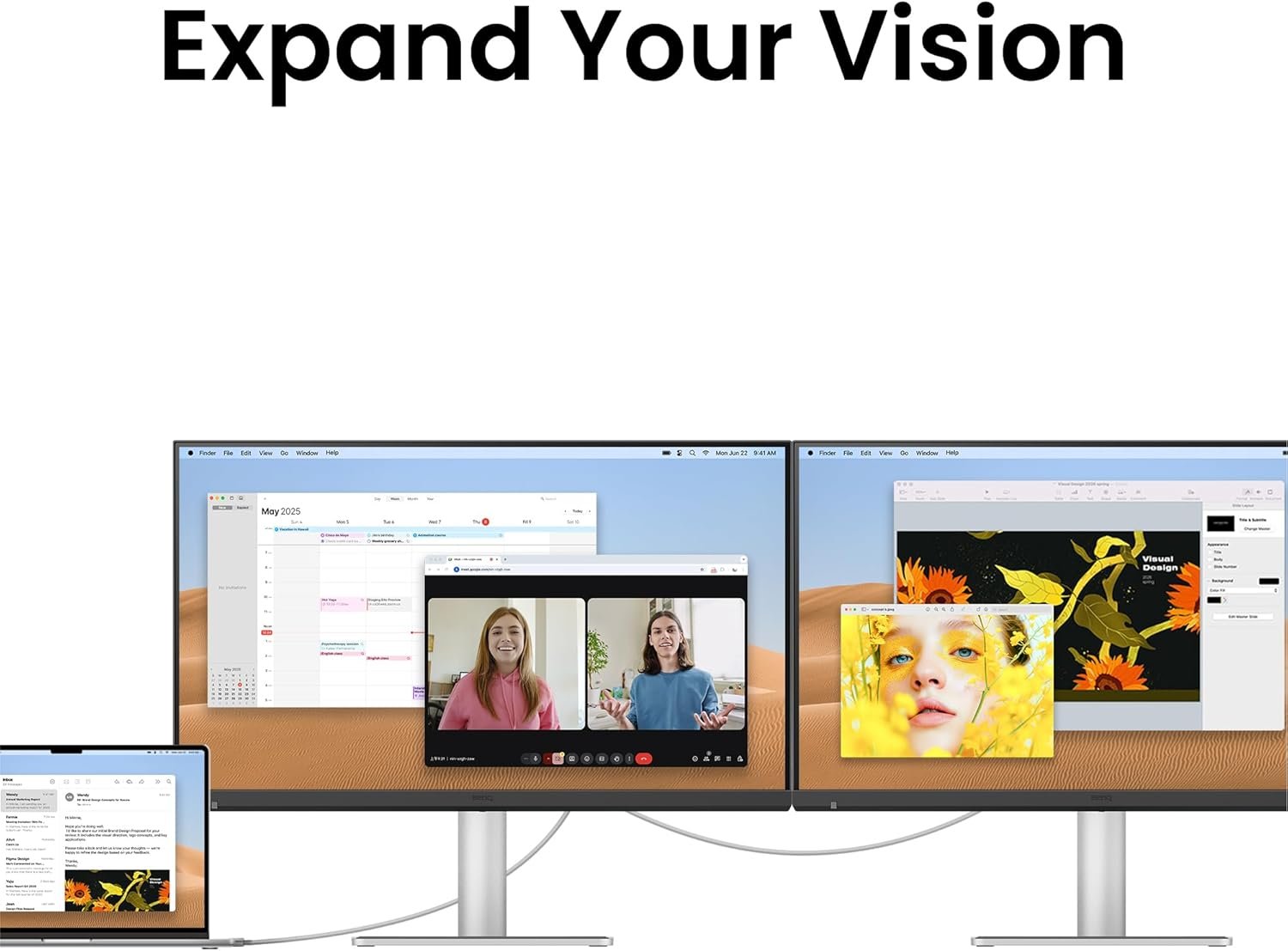
Thunderbolt 4 Daisy Chain
The second Thunderbolt connection supports Thunderbolt daisy chaining and provides 15W Power Delivery.
Compatible devices and displays can be connected through the Thunderbolt workflow, making it easier to build an expanded workstation without relying entirely on multiple independent cables.
This is particularly useful for professional creators and users working with multi-display setups.
USB-C 35W Power Delivery
In addition to Thunderbolt 4, the MA270S provides a dedicated USB-C connection with 35W Power Delivery, DisplayPort Alternate Mode and data connectivity.
This provides additional flexibility for connecting compatible laptops, tablets and other USB-C devices.
The combination of Thunderbolt 4 and USB-C allows users to build a versatile multi-device workspace around the monitor.
A Powerful Connectivity Hub
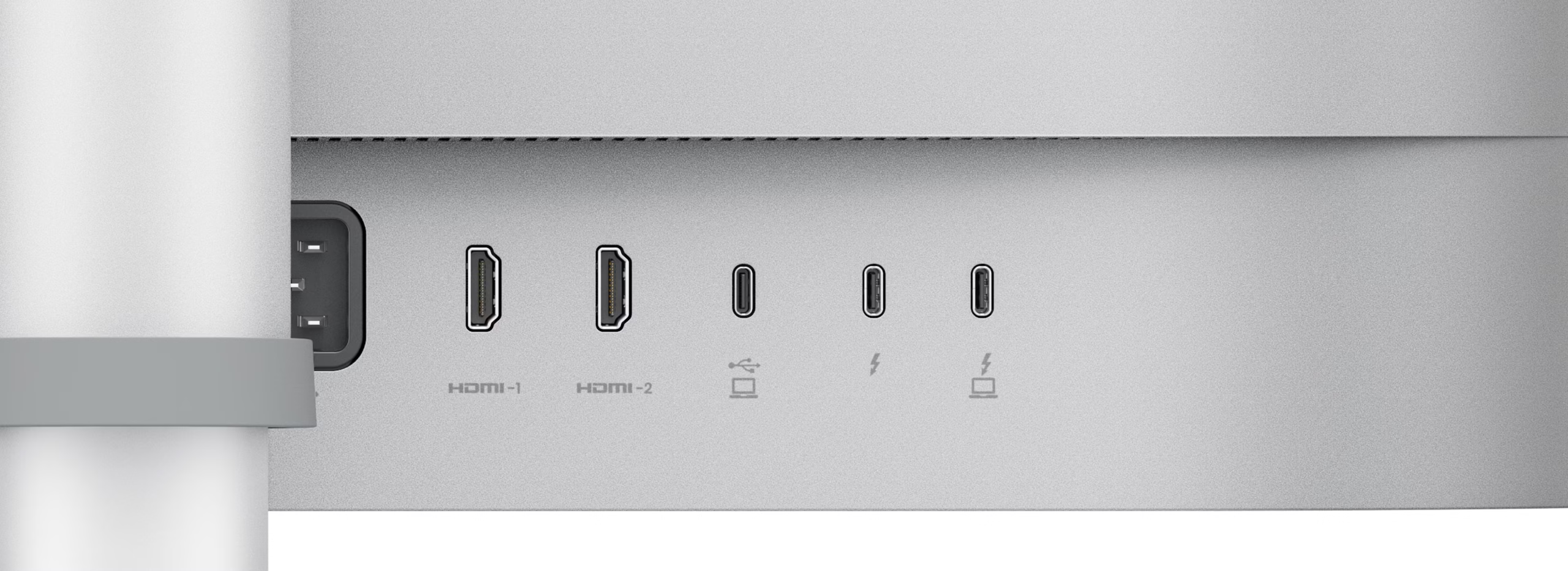
The MA270S is designed to act as more than just a display.
Its connectivity includes:
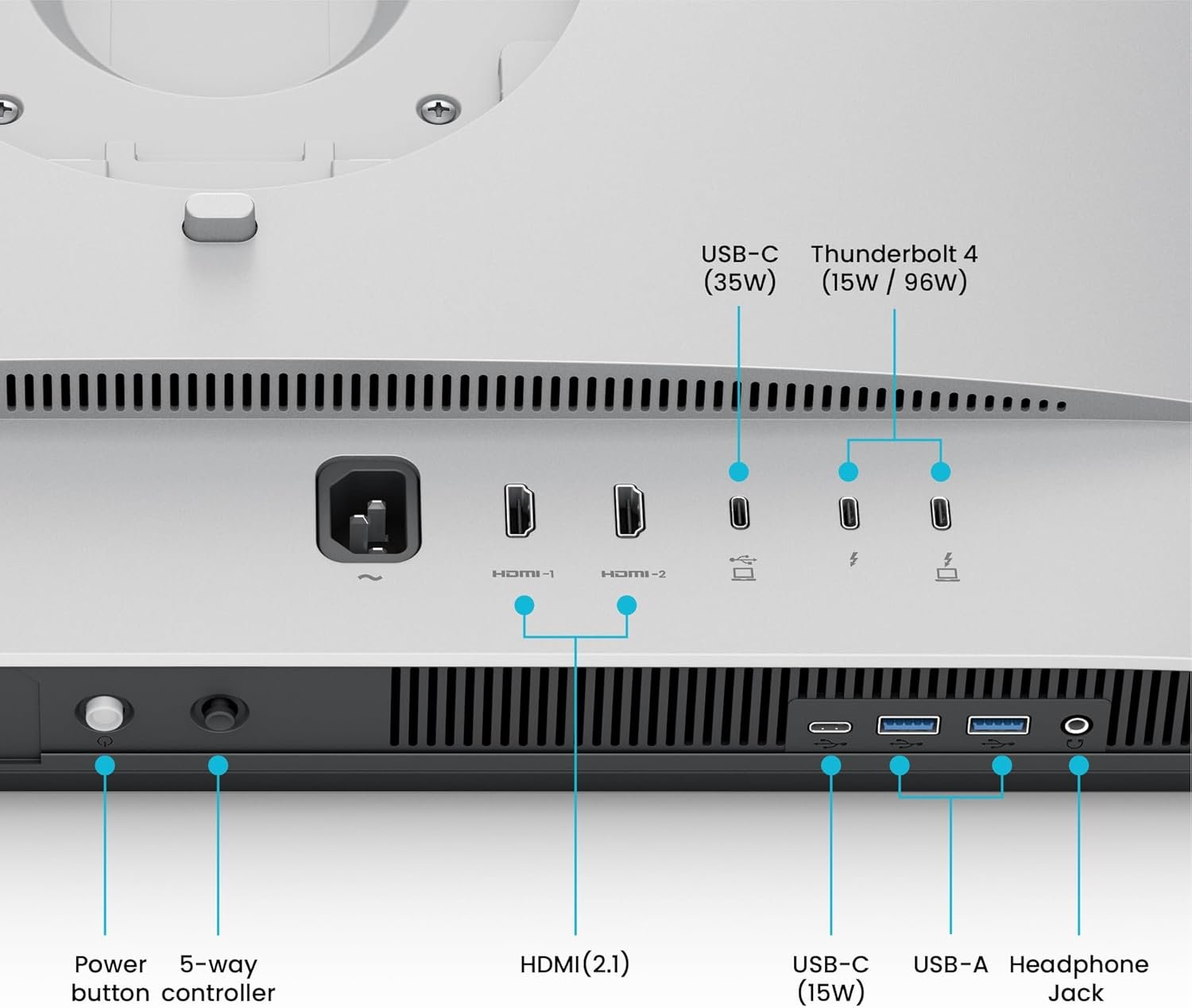
- 2 × HDMI 2.1
- Thunderbolt 4 with 96W PD
- Thunderbolt 4 Out with 15W PD
- USB-C with 35W PD
- 2 × USB-A 3.2 Gen 2
- USB-C Downstream 3.2 Gen 2 with 15W charging
- Headphone Jack
The integrated connectivity hub helps users connect computers, storage devices, peripherals and other compatible equipment directly to the monitor.
KVM Switch for Multi-Device Workflows
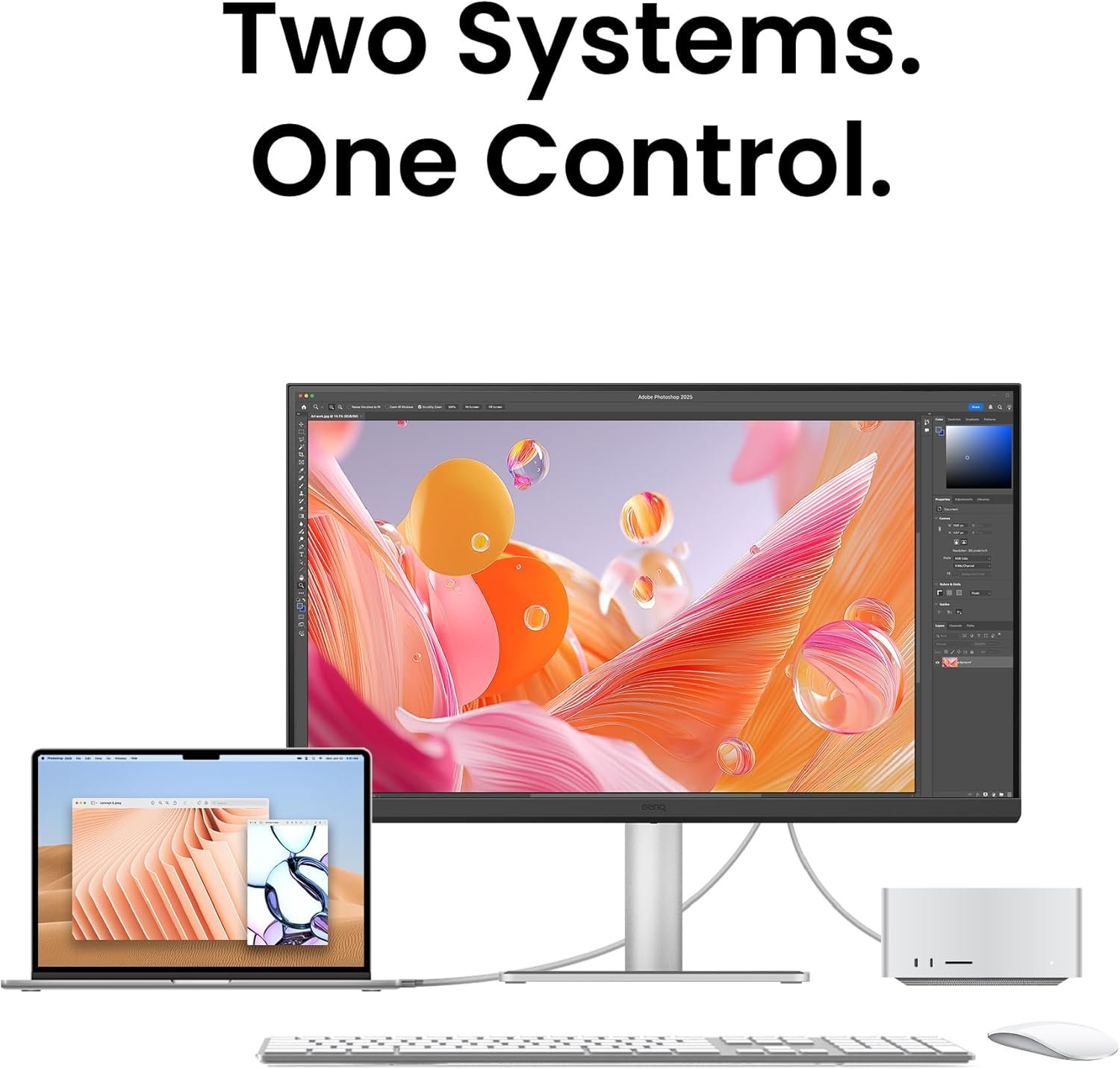
The integrated KVM switch allows compatible connected computers to share a single keyboard and mouse.
This is useful for professionals who work with more than one computer, such as a MacBook and another compatible system.
Instead of maintaining separate keyboards and mice, KVM helps streamline the workstation and simplify switching between connected systems.
PIP, PBP & DualView Plus
The MA270S supports advanced multi-source functionality through PIP, PBP and DualView Plus.
Picture-in-Picture
PIP allows content from another source to appear within the primary display area.
Picture-by-Picture
PBP allows two compatible sources to be displayed simultaneously, making it useful for comparing workflows or monitoring multiple devices.
DualView Plus
DualView Plus provides additional options for viewing different content and display modes simultaneously.
These features are particularly useful for:
- Mac + PC workflows
- Creative applications
- Reference + editing
- Content comparison
- Multitasking
- Professional workflows
70Hz Refresh Rate
The MA270S features a 70Hz refresh rate, providing smooth everyday screen movement and transitions.
The slightly higher refresh rate compared with conventional 60Hz displays can make scrolling, window movement and general desktop interaction feel more fluid.
Combined with the high pixel density and 5K resolution, the display is well suited to detailed productivity and creative workflows.
5ms GtG Response Time
The monitor provides a 5ms GtG response time, offering responsive pixel transitions for everyday applications, multimedia and general creative use.
The MA270S is primarily designed around high-resolution creative and productivity workflows rather than high-refresh-rate competitive gaming.
Professional Colour Modes
The MA270S provides multiple colour modes for different types of content and workflows.
Available modes include:
- Display P3
- sRGB
- HDR
- M-book
- User
- Game
- ePaper
- Cinema
This allows users to quickly adapt the display to different creative, productivity, reading and entertainment requirements.
Eye Comfort 3.0 & EyeSafe 2.0
The MA270S incorporates BenQ’s advanced eye-care technologies for extended viewing.
The monitor is certified for:
- Eye Comfort 3.0
- EyeSafe 2.0
- Flicker-Free technology
- Low Blue Light hardware solution
Additional viewing-comfort features include:
- Color Weakness
- ePaper
- Visual Optimizer
These technologies are designed to support comfortable use during long workdays, creative sessions and extended reading.
Flicker-Free & Low Blue Light Technology
Flicker-Free technology helps minimise visible flickering from the display backlight.
Low Blue Light technology reduces blue-light output through a hardware-based solution designed to maintain useful image quality.
These features can be particularly useful for professionals who spend many hours working with documents, creative applications and digital content.
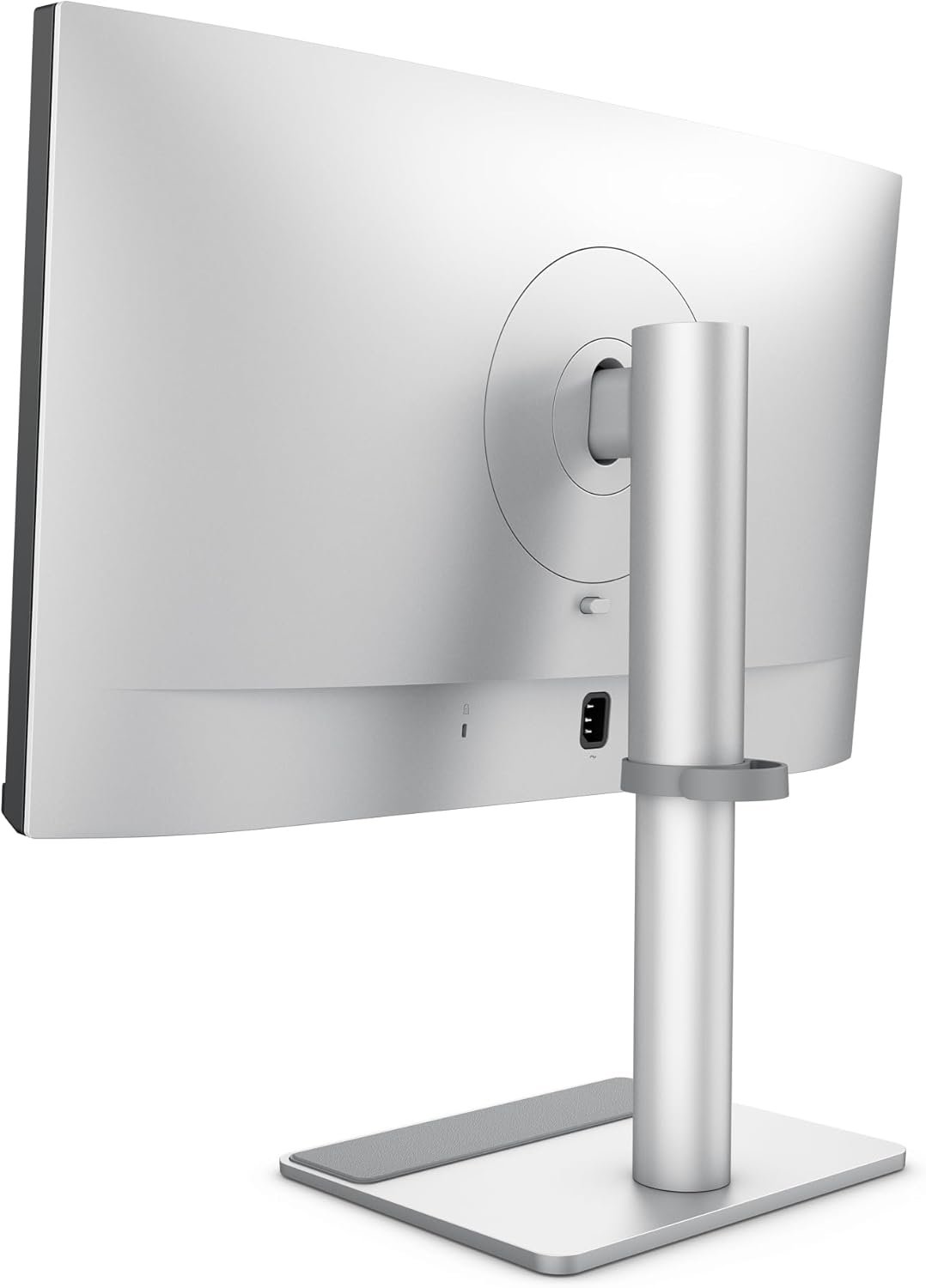
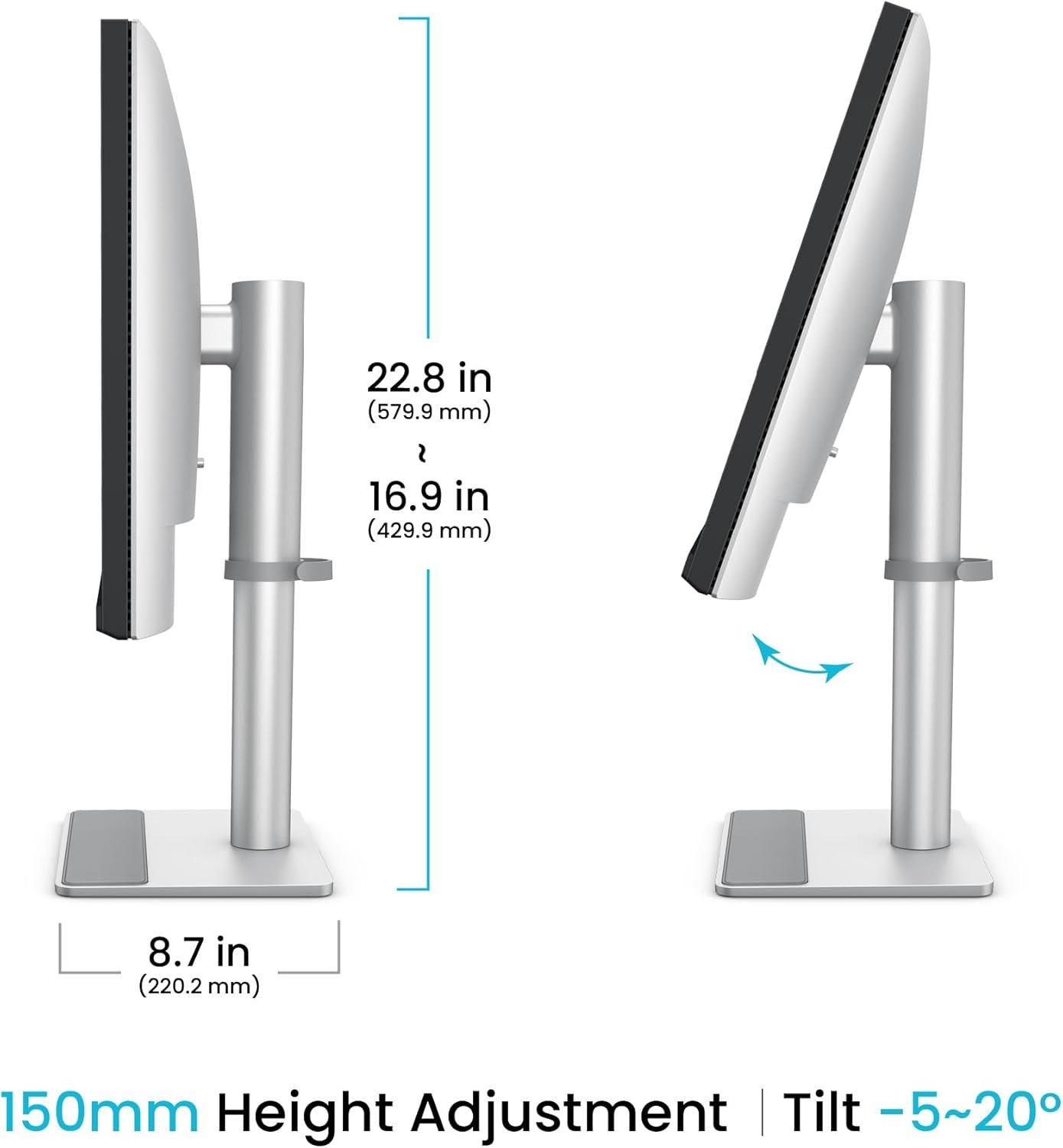
150mm Height-Adjustable Ergonomic Stand
The MA270S includes a flexible ergonomic stand designed for comfortable positioning.
Stand Adjustments
- 150mm Height Adjustment
- Tilt: -5° to 20°
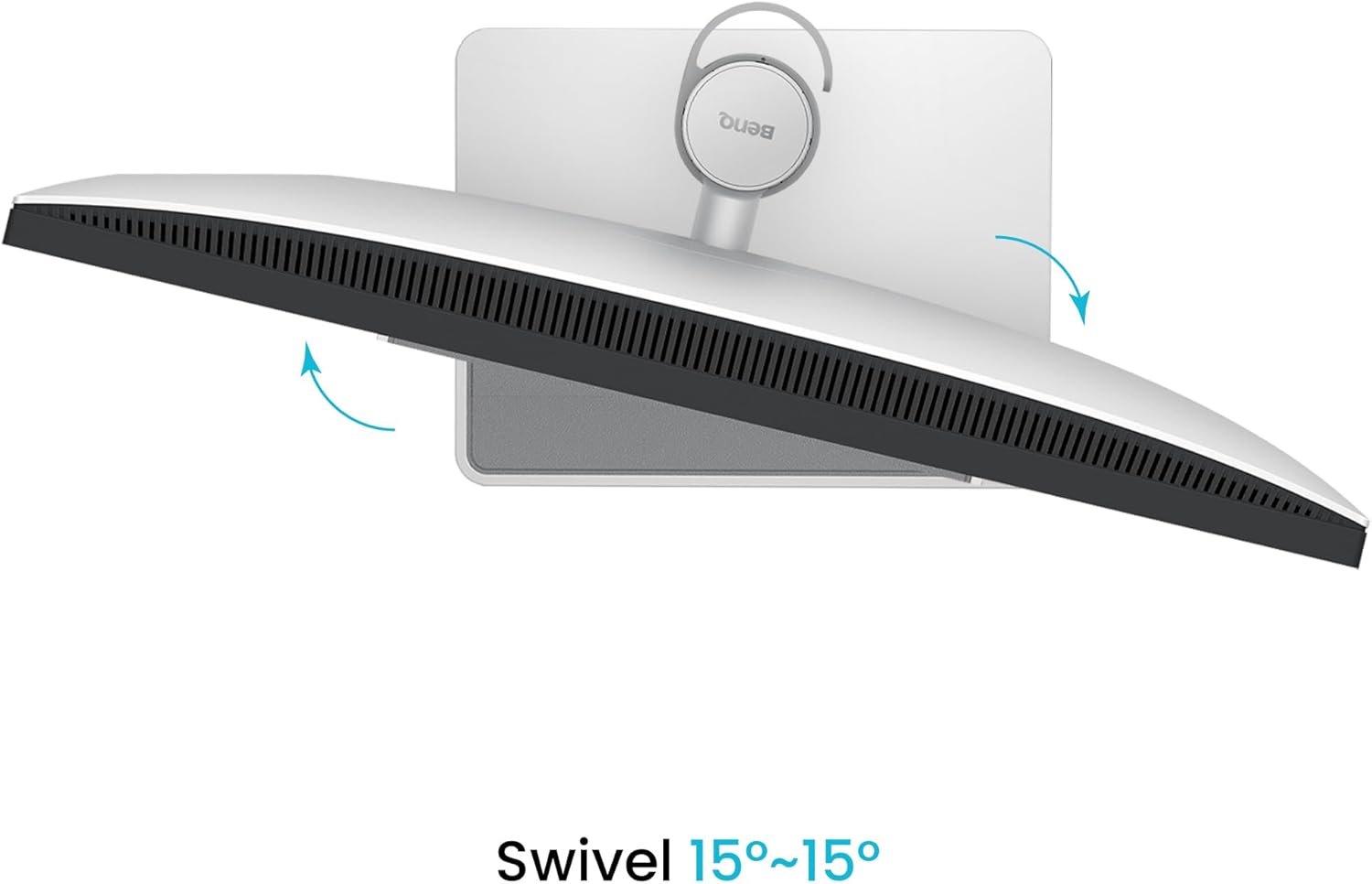
- Swivel: 15° Left / 15° Right
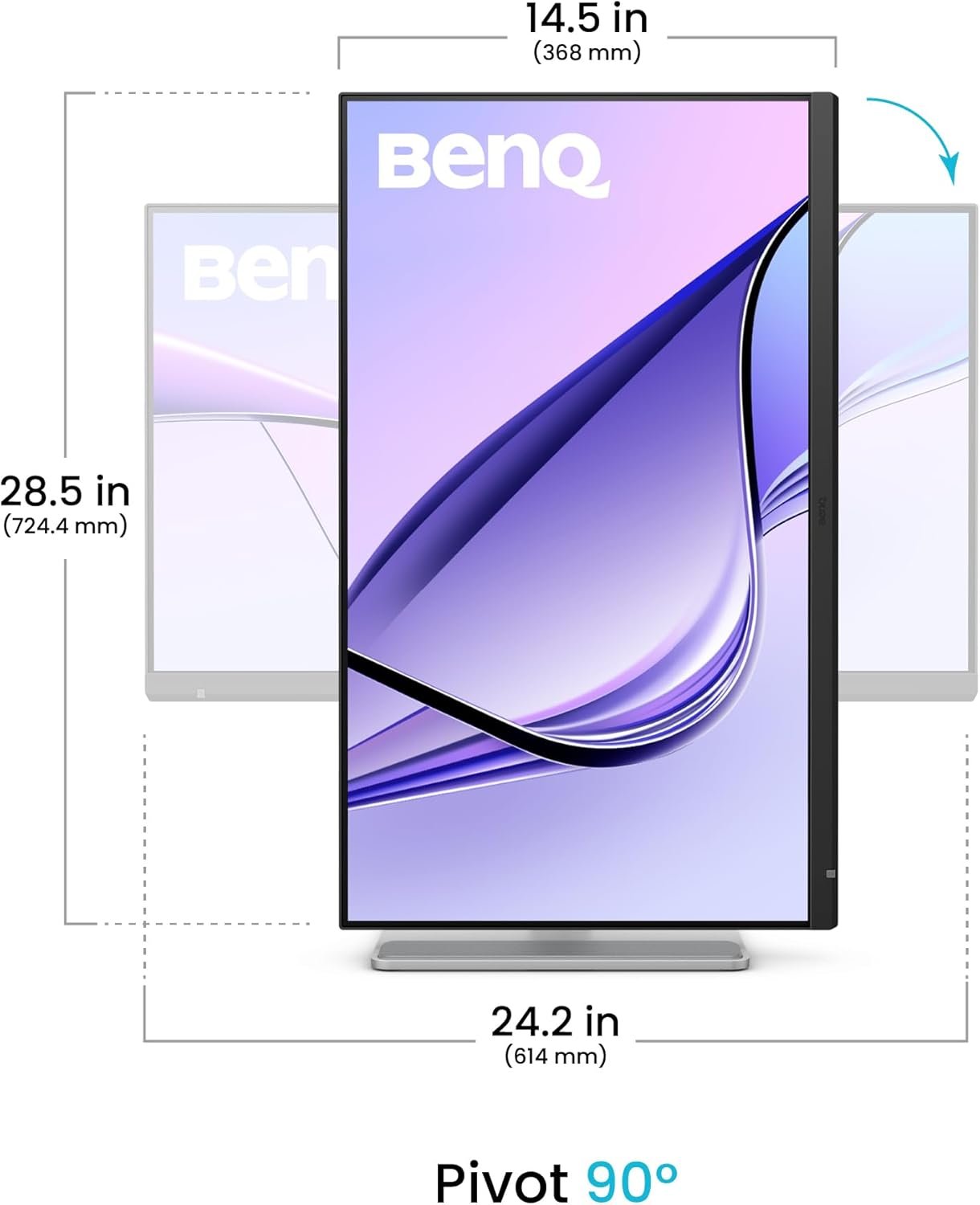
- 90° Pivot
The pivot function allows the display to be rotated into portrait orientation for compatible workflows.
Portrait orientation can be useful for:
- Coding
- Long documents
- Web design
- Social media content
- Portrait photography
- Document review
VESA Mount Support
The monitor supports 100 × 100mm VESA mounting, providing additional flexibility for custom workstations.
Users can install the MA270S on a compatible monitor arm or wall mount to optimise desk space and viewing position.
Built-In 3W × 2 Speakers
The MA270S includes two built-in 3W speakers for convenient everyday audio.
The integrated speakers can be used for:
- Video calls
- Online meetings
- Presentations
- Music
- Streaming
- General multimedia
A headphone jack is also available for private listening.
Auto Pivot & Display Management
The monitor supports Auto Pivot, allowing compatible software and display functionality to respond to changes in screen orientation.
BenQ also provides several software tools to simplify display management.
Display Pilot 2
Display Pilot 2 provides convenient software-based control of compatible display settings and productivity features.
Display Quickit
Display Quickit provides additional tools for managing supported monitor functions.
These applications help simplify monitor control for users who frequently change between different workflows.
ICCsync for Consistent Colour Management
The MA270S supports BenQ ICCsync, which helps synchronise colour profiles between the monitor and compatible computer workflows.
This is particularly useful for creative professionals who need consistent colour management when moving between different applications and devices.
Uniformity Technology
BenQ’s Uniformity Technology helps maintain consistent brightness and colour performance across different areas of the screen.
This can be valuable when working with large photographs, graphic layouts, video timelines and other colour-sensitive content where display consistency matters.
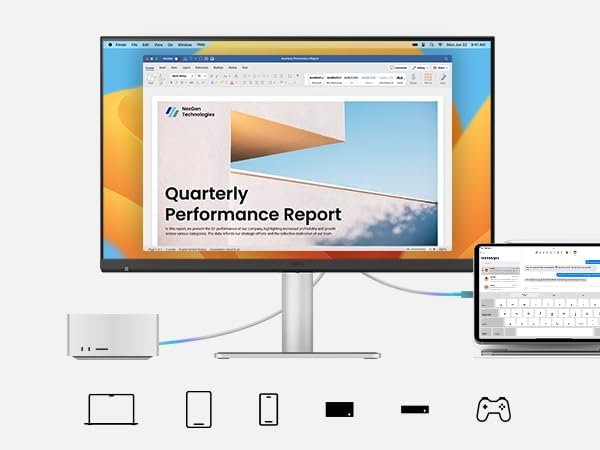
Professional Mac Workflow
The MA270S is designed as a central display for modern Mac ecosystems.
Compatible devices and workflows can include:
- MacBook Pro
- MacBook Air
- Mac mini
- Mac Studio
- iPad
- iPhone
- Other compatible USB-C devices
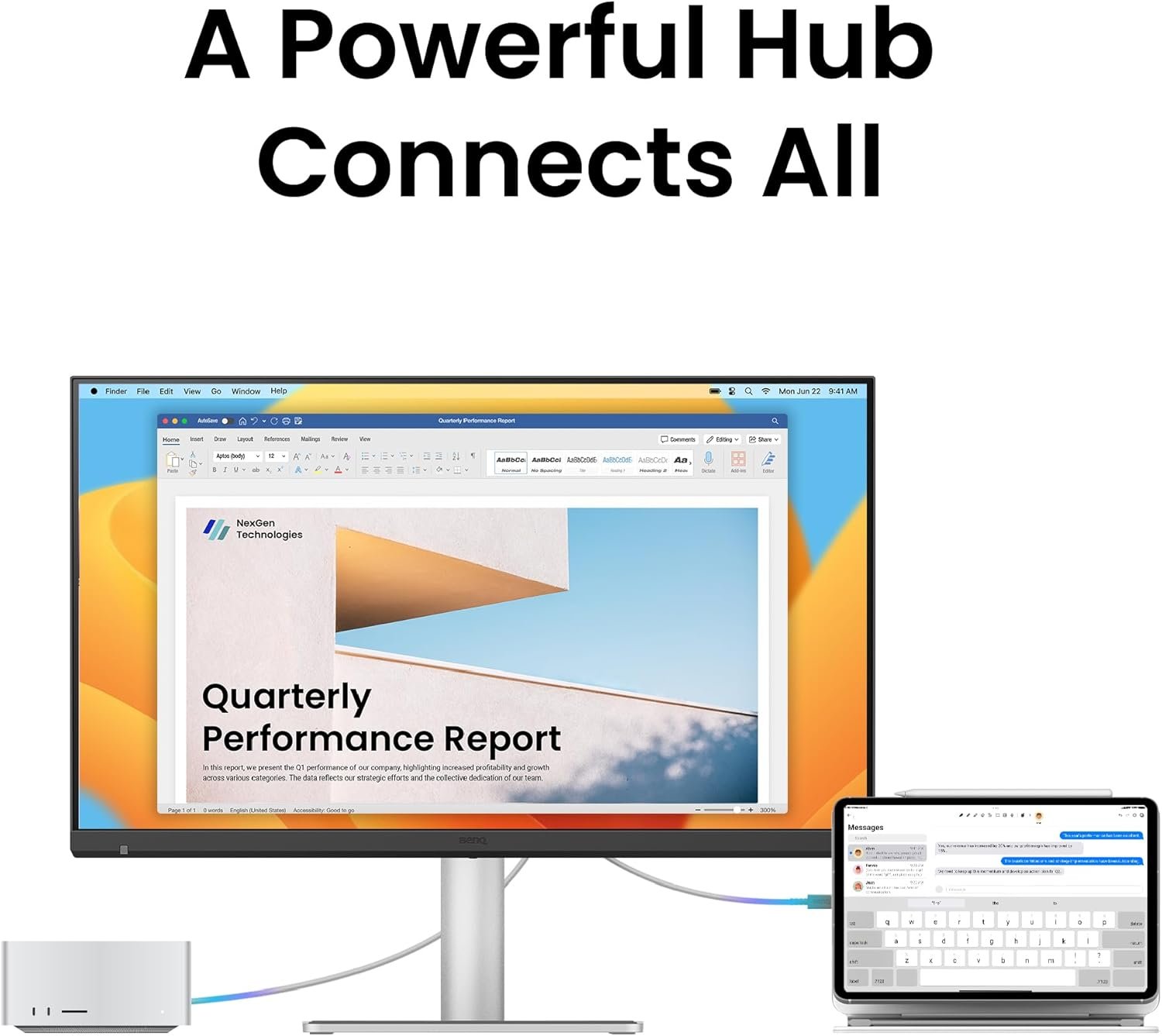
Thunderbolt 4, USB-C and the monitor’s integrated hub provide flexible connection options for users who regularly work across multiple Apple devices.
Clean Single-Cable Workspace
For compatible MacBook systems, the primary Thunderbolt 4 connection with 96W Power Delivery can significantly simplify the desktop.
A single connection can carry supported display and data signals while simultaneously charging the connected MacBook.
This helps reduce cable clutter and makes it easier to connect and disconnect a laptop from a dedicated workstation.
5K for Creative Professionals
The combination of 5120 × 2880 resolution, 218 PPI, 99% P3, Nano Gloss surface and 1.07 billion colours makes the MA270S particularly well suited to detailed creative work.
It can be used for:
- Photography
- Photo retouching
- Graphic design
- Video editing
- Motion graphics
- Digital art
- UI/UX design
- Web design
- Content creation
The high pixel density helps fine details and interface elements remain exceptionally sharp.
Ideal For
- MacBook Pro Users
- MacBook Air Users
- Mac Studio Users
- Mac mini Users
- Graphic Designers
- Photographers
- Video Editors
- Content Creators
- Digital Artists
- UI/UX Designers
- Web Designers
- Creative Professionals
- Developers & Programmers
- Apple Ecosystem Users
- Professional Home Offices
- Multi-Device Workstations
Key Highlights at a Glance
- BenQ MA270S 27-Inch 5K Monitor
- 5120 × 2880 5K UHD Resolution
- 218 PPI
- IPS Panel
- 70Hz Refresh Rate
- 5ms GtG Response Time
- 450 Nits Brightness
- 2000:1 Native Contrast Ratio
- HDR10
- VESA DisplayHDR 400
- 99% P3
- 99% sRGB
- 1.07 Billion Colours
- Nano Gloss Panel
- Mac Color Tuning Technology
- Sync with MacBook Control
- Display P3 Mode
- M-Book Mode
- Dual Thunderbolt 4
- 96W Thunderbolt 4 Power Delivery
- 15W Thunderbolt Output
- 35W USB-C Power Delivery
- Thunderbolt Daisy Chain
- KVM Switch
- PIP/PBP
- DualView Plus
- 2 × HDMI 2.1
- USB 3.2 Gen 2
- 10Gbps USB Connectivity
- ICCsync
- Uniformity Technology
- Auto Pivot
- Display Pilot 2
- Display Quickit
- Eye Comfort 3.0
- EyeSafe 2.0
- Flicker-Free Technology
- Low Blue Light
- Color Weakness Mode
- ePaper Mode
- Visual Optimizer
- 2 × 3W Built-In Speakers
- 150mm Height Adjustment
- Tilt & Swivel Adjustment
- 90° Pivot
- 100 × 100mm VESA Mount
- Energy Star Certified
Reviews
There are no reviews yet.