



Description
BenQ RD280U 28 Inch4K+ 3840×2560 3:2 Special Ratio Programming Monitor with Backlight 90W USB Type-C|Advanced Coding Modes Fine-Coated Panel Night Hours Protection Coding HotKey Ergonomic Design
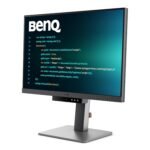
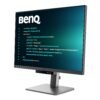
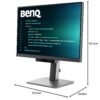
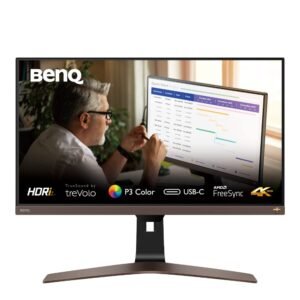
The BenQ RD280U is a purpose-built 28-inch 3:2 4K+ programming monitor designed to provide developers and programmers with more vertical screen space, exceptional text clarity and a focused coding environment. With its unusual 3:2 aspect ratio, 3840 × 2560 resolution, 164 PPI, and IPS panel, the RD280U provides a taller workspace that allows programmers to view more lines of code with less scrolling.
BenQ combines this expansive display with programming-focused technologies such as Coding Dark Theme, Coding Light Theme, Superior Code Differentiation, Fine-Coated Nano Matte Panel and Coding HotKey. The integrated MoonHalo backlight adds a customisable ambient lighting experience, while 90W USB-C connectivity, KVM and Desktop Partition help streamline modern developer workstations.
3:2 4K+ Display for More Vertical Coding Space
The standout feature of the BenQ RD280U is its 3:2 aspect ratio. Compared with conventional 16:9 monitors, the taller screen provides additional vertical workspace, allowing developers to see more lines of code, documentation and project information simultaneously.
With a high 3840 × 2560 resolution, the RD280U delivers detailed visuals and sharp text across its 28.2-inch screen. The 164 PPI pixel density further improves text definition, making small fonts, programming syntax and interface elements appear crisp and easy to read.
IPS Panel with 95% P3 Colour Gamut
The RD280U uses an IPS panel that delivers wide 178° horizontal and vertical viewing angles, helping maintain consistent image quality when viewed from different positions.
Its 95% P3 colour gamut and support for 1.07 billion colours provide rich and detailed colour reproduction. While designed primarily for programming, the monitor is also suitable for content consumption, productivity and colour-conscious creative work.
Fine-Coated Nano Matte Panel
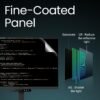
BenQ has equipped the RD280U with a Nano Matte display coating designed to minimise distracting reflections.
The specialised Fine-Coated Panel is particularly useful for programmers working in environments with windows, overhead lighting or other potential sources of screen reflections. By reducing visual distractions, it helps create a cleaner and more focused coding workspace.
The monitor also carries TÜV Reflection Free certification, reinforcing its focus on reducing distracting reflections during extended viewing.
BenQ MoonHalo Backlight
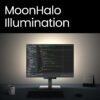
The integrated MoonHalo backlight creates ambient illumination behind the monitor to enhance the overall working environment.
Users can customise:
- Brightness
- Colour Temperature
- Light Modes
- Auto Dimming
- Non-stop Mode
MoonHalo is designed to provide a more comfortable and immersive workspace, particularly when coding or working in lower-light environments.
The lighting can also be conveniently controlled through BenQ Display Pilot 2, allowing users to adjust MoonHalo settings directly from their computer.
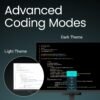
Advanced Coding Modes
The RD280U is specifically designed around the needs of programmers. Its dedicated coding modes help optimise the display for long coding sessions.
Coding Dark Theme
The Coding Dark Theme provides a darker interface designed for developers who prefer dark coding environments.
Coding Light Theme
For programmers who prefer brighter interfaces, Coding Light Theme provides an alternative viewing environment.
These dedicated modes make it easier to adapt the monitor to different programming environments and personal preferences.
Superior Code Differentiation
Clear differentiation between programming elements is essential when working with large codebases.
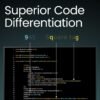
BenQ’s coding-focused display technology is designed to improve font clarity and code differentiation, helping programmers distinguish different elements of their code more easily.
This can be especially useful during long development sessions involving large amounts of text.
Coding HotKey & Function Bar
The dedicated Coding HotKey provides quick access to coding-related display settings.
Instead of navigating through multiple menus, programmers can quickly access their preferred coding environment through the dedicated control.
The Function Bar further improves accessibility by placing frequently used functions within easy reach.
Display Pilot 2
The RD280U works with BenQ Display Pilot 2, providing software-based control over display and productivity settings.
Display Pilot 2 enables users to manage functions such as:
- Display settings
- Desktop Partition
- Application Mode
- Software Dimming
- Circadian Mode
- MoonHalo settings
This allows users to control important monitor functions directly from their computer.
Desktop Partition for Efficient Multitasking
The Desktop Partition feature helps users organise multiple applications across the large 3:2 display.
Instead of manually resizing and positioning windows, users can select preset layouts or create customised partitions.
This is particularly useful for developers who need to work with multiple applications such as:
- Code editors
- Web browsers
- Documentation
- Terminals
- Debugging tools
- Communication applications
The additional vertical space of the 3:2 display combined with Desktop Partition creates an efficient multitasking environment.
Built-In KVM for Multi-Device Workflows
The RD280U includes a built-in KVM switch, allowing users to control multiple connected computers using a single keyboard and mouse setup.
This is useful for developers who work across different systems, such as a primary workstation and secondary laptop.
The integrated KVM reduces the need for additional peripherals and makes switching between compatible sources more convenient.
90W USB-C One-Cable Connectivity
The monitor features 90W USB Type-C connectivity, designed to simplify modern workstation setups.
A compatible USB-C connection can carry:
- Video
- Audio
- Data
- Power
This allows compatible laptops to connect to the monitor through a single cable while also receiving power.
USB-C Daisy Chaining
The RD280U supports Multi-Stream Transport (MST) through USB-C, allowing compatible displays to be connected in a daisy-chain configuration.
This can help developers create multi-monitor workstations while reducing cable clutter.
Mac compatibility note: Mac and MacBook devices support daisy chaining through Thunderbolt. Daisy chaining is not supported through HDMI or regular USB ports. Devices using Apple M1 or M2 chips are limited to a single external display under the specified configuration. Compatibility can vary depending on the Mac model and setup.
Intelligent Circadian Mode
BenQ Low Blue Light Plus includes Circadian Mode, which automatically adjusts the display’s colour temperature throughout the day.
The technology is designed to follow the natural progression from warmer evening tones to cooler daytime tones, helping create a more comfortable viewing environment throughout extended work sessions.
TÜV Certified Eye Comfort
The RD280U is designed with multiple technologies focused on long-duration viewing comfort.
These include:
- TÜV Reflection Free Certification
- TÜV Low Blue Light Certification
- Eyesafe 2.0 Certification
- Low Blue Light Plus
- Circadian Mode
- Nano Matte Panel
These technologies help reduce distracting reflections and blue-light exposure while maintaining vibrant display quality.
HDR10 & DisplayHDR 400
The RD280U supports HDR10 and carries VESA DisplayHDR 400 certification.
With up to 400 nits HDR peak brightness, HDR-compatible content can display a wider range of brightness levels for a more immersive viewing experience.
For everyday productivity, the monitor offers 350 nits typical brightness, providing a bright and clear workspace.
60Hz Performance & 5ms Response Time
The RD280U operates at a 60Hz refresh rate through DisplayPort and USB-C and provides a 5ms GtG response time.
These specifications are well suited to programming, office productivity, web development, software engineering and general professional workloads where text clarity and workspace efficiency are more important than high-refresh-rate gaming.
Professional Display Modes
The monitor provides multiple display modes for different workflows:
- sRGB
- HDR
- M-Book
- User
- ePaper
- Cinema
- Coding – Dark Theme
- Coding – Light Theme
The M-Book mode is particularly useful for compatible Mac workflows, while ePaper mode can provide a more paper-like viewing experience for reading and document work.
Gamma & Colour Temperature Controls
Users can customise the display according to their preferences with selectable colour temperature settings:
- Bluish
- Normal
- Reddish
- User Define
The monitor also provides a 1.8–2.6 gamma range, offering additional control over image appearance.
Connectivity
The RD280U is designed for modern developer and productivity workstations with USB-C-based connectivity, multi-device support and display expansion capabilities.
90W USB Type-C
The USB-C connection provides high-bandwidth connectivity for compatible devices while delivering up to 90W power delivery.
USB-C MST Daisy Chain
Compatible systems can use Multi-Stream Transport to extend the desktop across multiple displays.
Display Connectivity
The monitor supports modern digital display connections for connecting compatible computers and other devices.
HDCP 2.2
HDCP 2.2 support provides compatibility with protected digital content from supported devices.
Ideal For
- Software Developers
- Programmers
- Web Developers
- Coding Professionals
- App Developers
- Data Analysts
- IT Professionals
- Software Engineers
- Students Learning Programming
- Home Office Professionals
- Multitasking Workstations
- Mac & Windows Workflows
Key Highlights at a Glance
- 28-Inch 3:2 Programming Monitor
- 4K+ 3840 × 2560 Resolution
- IPS Panel
- 164 PPI
- 95% P3 Colour Gamut
- 1.07 Billion Colours
- 350 Nits Typical Brightness
- 400 Nits HDR Peak Brightness
- HDR10
- VESA DisplayHDR 400
- 5ms GtG Response Time
- 60Hz Refresh Rate
- Nano Matte Fine-Coated Panel
- BenQ MoonHalo Backlight
- 90W USB-C
- USB-C MST Daisy Chain
- Built-In KVM
- Desktop Partition
- Coding Dark & Light Themes
- Coding HotKey
- Display Pilot 2
- Circadian Mode
- TÜV Reflection Free Certified
- Eyesafe 2.0 Certified
- 100% Productivity-Focused 3:2 Workspace
Siddhi (verified owner) –
The monitor’s performance is outstanding and it arrived quickly. The purchase was smooth and hassle-free.
Vedika (verified owner) –
Outstanding performance and quick delivery. The monitor was well worth the investment.
Uday (verified owner) –
Great service and very fast delivery. The monitor was well-packed and arrived in perfect condition.
Vihaan (verified owner) –
Very satisfied with the purchase. The monitor’s clarity and performance are superb, and it arrived ahead of schedule.
Rahul (verified owner) –
This monitor offers great features at a reasonable price. The delivery was quick and the monitor was well-protected.
Kavya (verified owner) –
The monitor was packed securely and arrived promptly. Very happy with the purchase!
Riya (verified owner) –
Fantastic monitor at a great price. The color accuracy and refresh rate are impressive!
Urvashi (verified owner) –
Exceptional monitor with sharp visuals and great performance. Arrived quickly and in perfect condition.