
Most monitors are built around video.
Developers work differently.
Instead of spending the day watching 16:9 content, programmers are usually moving through source code, terminals, documentation, browser windows, Git logs, IDE panels and long text-heavy files.
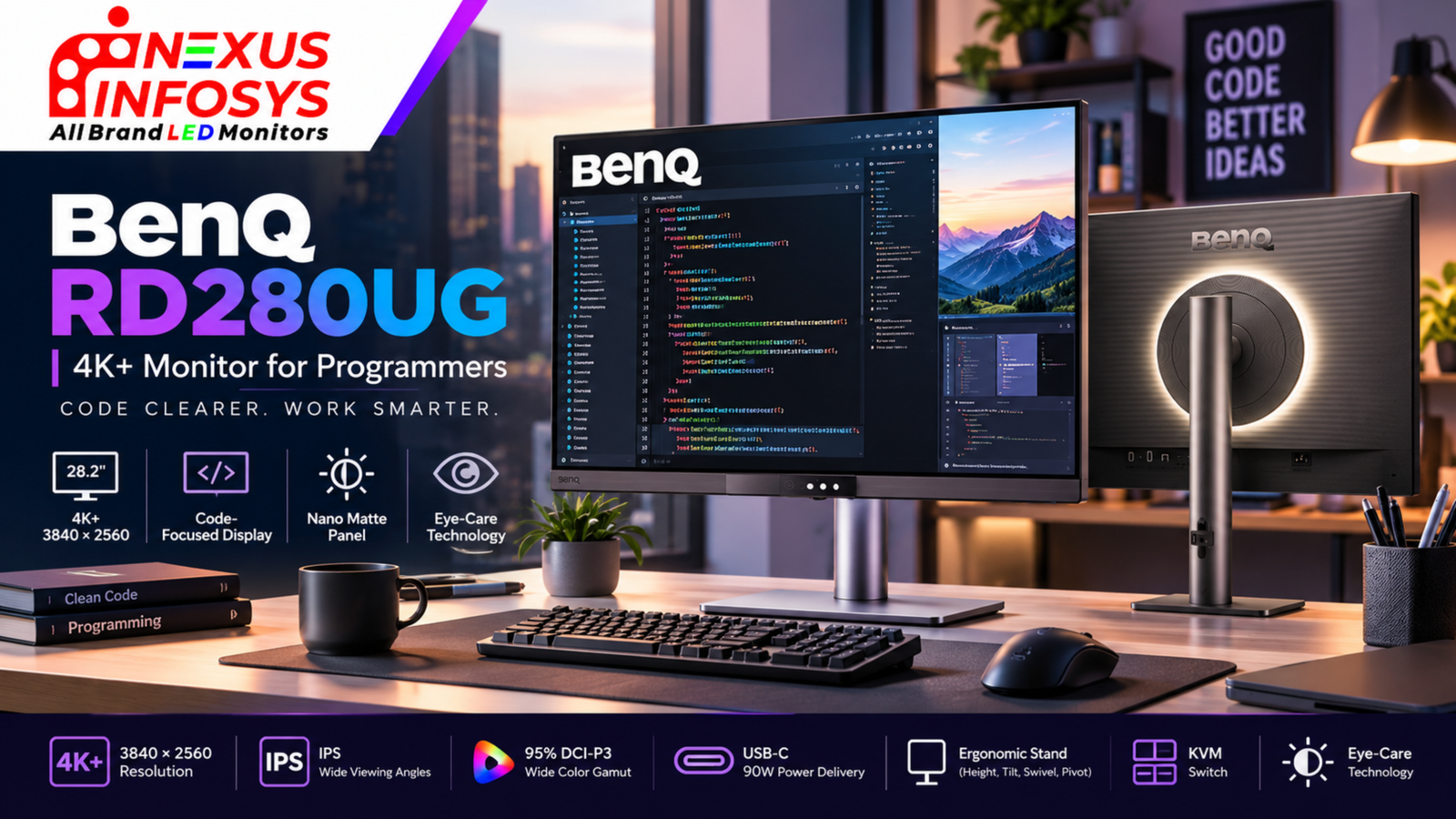
That is why the BenQ RD280UG is unusual.
Rather than following the standard 16:9 monitor formula, the RD280UG uses a taller 3:2 aspect ratio with a 3840 × 2560 4K+ resolution, combined with a 120Hz refresh rate, 2000:1 contrast ratio, Nano Matte panel, MoonHalo backlight, USB-C 90W Power Delivery, KVM and daisy-chain support.
It is not simply a productivity monitor with a coding preset.
It has been designed specifically around the way developers work.
BenQ RD280UG at a Glance
| Feature | BenQ RD280UG |
| Screen Size | 28-inch |
| Resolution | 3840 × 2560 4K+ |
| Aspect Ratio | 3:2 |
| Panel | IPS |
| Refresh Rate | 120Hz |
| Contrast Ratio | 2000:1 |
| Brightness | 350 nits |
| HDR Peak | 400 nits |
| HDR | HDR10 / DisplayHDR 400 |
| Colour Gamut | 95% P3 |
| Pixel Density | 164 PPI |
| Surface | Nano Matte |
| USB-C Power Delivery | 90W |
| KVM | Yes |
| Daisy Chain | USB-C MST |
| MoonHalo | Yes |
| PIP/PBP | Yes |
| DualView Plus | Yes |
| Auto Pivot | Yes |
| FreeSync Premium | Yes |
| Speakers | 2 × 3W |
| Height Adjustment | 150mm |
Why 3:2 Is the RD280UG’s Biggest Advantage
The most important feature is not 120Hz.
It is the 3:2 aspect ratio.
A conventional 4K monitor uses 3840 × 2160 pixels at 16:9.
The RD280UG keeps the same 3840 horizontal pixels but increases the vertical resolution to 2560 pixels.
That means you get 400 additional vertical pixels compared with a normal 4K UHD monitor. Pasted text
For developers, that extra height matters.
It can mean seeing more:
- lines of code;
- terminal output;
- documentation;
- browser content;
- logs;
- debugging information;
- rows in spreadsheets;
- vertically stacked windows.
Instead of using the additional physical space to make the monitor wider, BenQ makes it taller.
For text-heavy workflows, that is a very different experience.
3:2 vs 16:9 for Programming
| Workflow | 3:2 RD280UG | Conventional 16:9 |
| Long code files | More vertical lines visible | More scrolling |
| Documentation | More page content visible | Less vertical area |
| IDE + terminal stacked | Better vertical split | Can feel compressed |
| Wide spreadsheets | Less horizontal room | Better for very wide data |
| Video editing timeline | Less naturally suited | 16:9 often preferable |
| Movies & video | Extra unused vertical space possible | Native fit |
| Programming | Major strength | General-purpose |
The trade-off is important.
A 3:2 display is not automatically better for every workload. Very wide dashboards, editing timelines and side-by-side layouts may still benefit from 16:9 or ultrawide displays. The ranking research similarly notes that the taller format helps long source files and vertically stacked windows while sacrificing some horizontal space. Pasted text
That is exactly why the RD280UG is a programming monitor rather than a universal monitor.
120Hz Makes Code Scrolling Feel Smoother
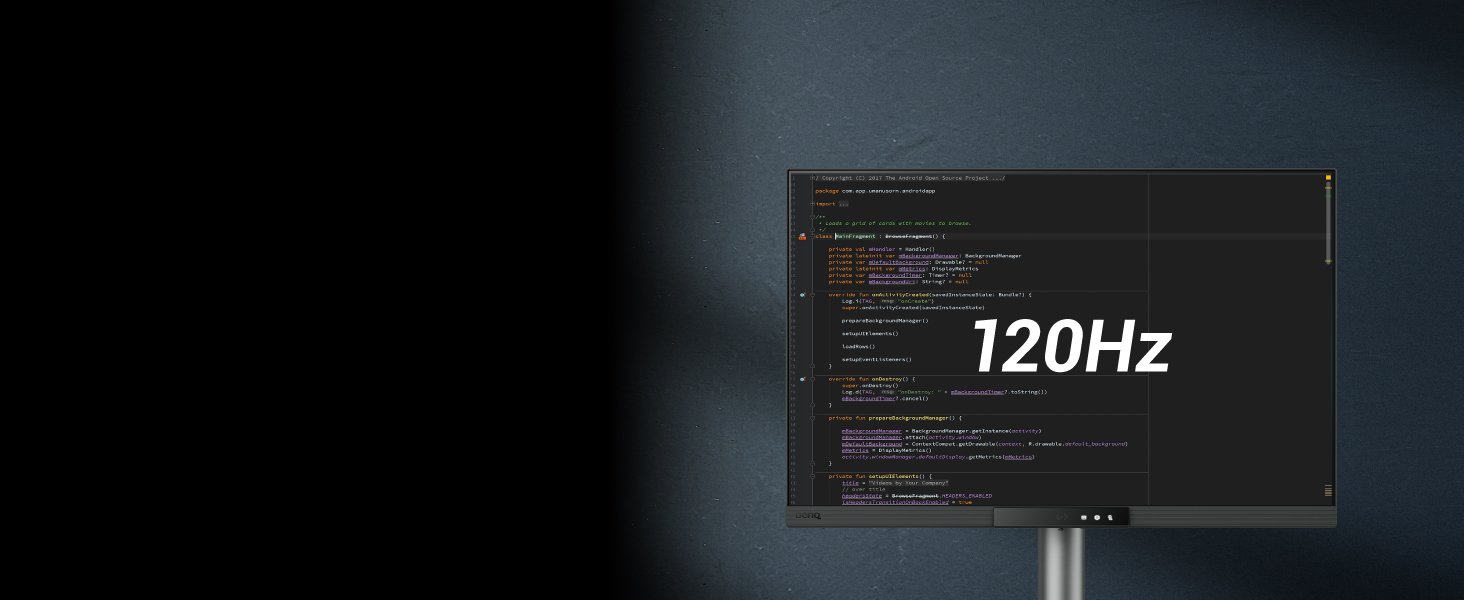
120Hz Precision
Lag-free Coding with 120Hz Precision
20Hz refresh rate, enjoy effortless scrolling and
lag-free performance.
The other major improvement is the 120Hz refresh rate.
Many professional and productivity displays still operate at 60Hz.
At 120Hz, the display updates twice as frequently.
That does not make static text inherently sharper, but it can make:
- scrolling through long code files;
- moving the cursor;
- dragging windows;
- browser navigation;
- IDE transitions;
- document scrolling;
feel substantially smoother.
The second ranking article makes the same important distinction: 120Hz improves motion and navigation rather than the sharpness of stationary text. Pasted text
For developers spending eight or ten hours moving through text-heavy interfaces, that smoother motion can be more useful than it initially sounds.
3840 × 2560 and 164 PPI for Sharp Text
The RD280UG packs its 3840 × 2560 resolution into a 28.2-inch display.
That works out to approximately 164 PPI.
For coding, text clarity matters enormously.
Small fonts, punctuation, brackets and syntax colouring need to remain readable without looking soft.
This is also one reason IPS continues to make sense for programming displays.
OLED monitors have become excellent for entertainment and gaming, but many developers continue to prioritise highly predictable text rendering and long-term static-workflow suitability.
The RD280UG’s high pixel density, IPS panel and Nano Matte coating are all clearly targeted at that type of user.
2000:1 Contrast Helps Dark IDE Themes
The RD280UG is rated for a 2000:1 native contrast ratio.
That is especially relevant when using dark coding themes.
Higher contrast can provide stronger separation between:
- text and background;
- comments and syntax;
- highlighted code;
- terminal output;
- dark UI elements.
BenQ combines the panel with what it calls High Pixel Contrast Technology, using static and dynamic contrast tuning along with local contrast optimisation.
The result is designed to keep fine text and dark areas clearer whether you are coding, browsing or watching content after work.
Coding Dark, Coding Light and Paper Color Modes
BenQ also provides dedicated modes specifically for text-heavy work.
These include:
Coding – Dark Theme
Coding – Light Theme
Coding – Paper Color
Rather than forcing users to manually configure brightness and contrast every time their IDE changes, these presets are intended to complement common development environments.
Paper Color is particularly interesting for long reading sessions because it attempts to provide a more paper-like presentation.
That can be useful for:
- documentation;
- technical articles;
- code review;
- long-form writing;
- studying.
Coding HotKey: Faster Access to Developer Features
There is also a dedicated Coding HotKey.
Pressing it opens BenQ’s Function Bar and provides quick access to:
- Coding Modes
- brightness
- contrast
- eye-care settings
- Night Hours Protection
- MoonHalo
This sounds like a small detail, but developer workspaces change throughout the day.
A bright morning office and a late-night coding session may require completely different display settings.
Having those controls readily available is considerably more useful than hiding them several menus deep.
MoonHalo: Ambient Backlighting Built Into the Monitor
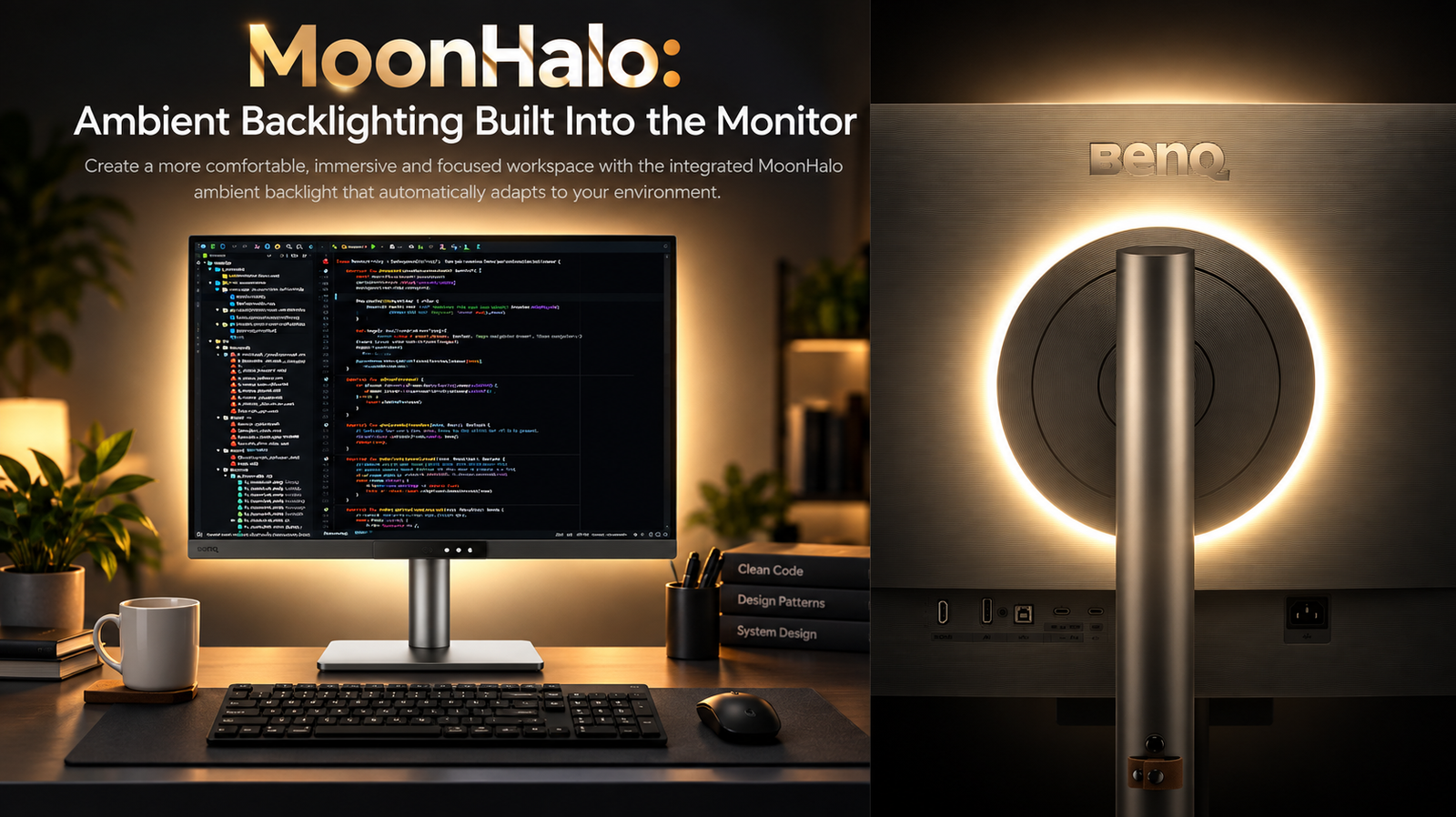
One of the RD280UG’s most distinctive features is MoonHalo.
This is an integrated ambient lighting system behind the monitor.
MoonHalo provides adjustable:
- brightness;
- colour temperature;
- lighting modes;
- automatic dimming.
The goal is to reduce the harsh visual transition between a bright monitor and a dark wall behind it.
Instead of adding a separate bias-light strip or monitor lamp, the lighting is integrated directly into the monitor.
The feature becomes particularly relevant for developers who regularly work at night or in dim rooms.
The ranking research describes MoonHalo as rear bias lighting with adjustable colour temperature, brightness and automatic dimming, while correctly noting that it complements rather than replaces sensible room lighting. Pasted text
Nano Matte Panel for Bright Offices
Nano Matte Panel
Amazing Nano Matte Panel – Clarity
Without Glare
BenQ RD280UG Nano Matte Panel features a low reflection property to
minimize distractions
The RD280UG uses BenQ’s Nano Matte coating.
Its purpose is to reduce reflections caused by:
- windows;
- overhead lights;
- desk lamps;
- bright office environments.
For coding, reflections can become especially annoying because users are constantly trying to distinguish small text and fine interface details.
A highly glossy display may produce more visual punch, but a low-reflection panel can be more practical for eight-hour work sessions.
That makes Nano Matte a sensible choice for the RD280UG’s intended audience.
Eye-Care Features Designed for Long Sessions
One of the RD280UG’s most distinctive features is MoonHalo.
This is an integrated ambient lighting system behind the monitor.
MoonHalo provides adjustable:
- brightness;
- colour temperature;
- lighting modes;
- automatic dimming.
The goal is to reduce the harsh visual transition between a bright monitor and a dark wall behind it.
Instead of adding a separate bias-light strip or monitor lamp, the lighting is integrated directly into the monitor.
The feature becomes particularly relevant for developers who regularly work at night or in dim rooms.
The ranking research describes MoonHalo as rear bias lighting with adjustable colour temperature, brightness and automatic dimming, while correctly noting that it complements rather than replaces sensible room lighting. Pasted text
One USB-C Cable Can Replace Several Desk Connections
The RD280UG supports USB-C with 90W Power Delivery.
With a compatible laptop, one cable can carry:
video + USB data + power
between the computer and monitor.
For a developer using a MacBook, ThinkPad, Dell laptop or another USB-C system, that can simplify the desk considerably.
Instead of connecting:
- charger;
- display cable;
- USB hub;
separately, one USB-C connection can handle most of the workstation.
The monitor can therefore operate partly like a docking station.
The ranking article similarly identifies the USB-C connection as supporting DisplayPort Alt Mode, data and up to 90W Power Delivery.
Built-In KVM: Very Useful for Developers With Two Computers
The integrated KVM switch is one of the strongest productivity features.
KVM stands for:
Keyboard, Video and Mouse.
It allows the keyboard and mouse connected through the monitor to be shared between two compatible computers.
For example:
Work + Personal
Laptop: company development environment
Desktop: personal workstation
Mac + Windows
MacBook: Xcode / macOS development
PC: Windows applications
Linux + Test Machine
Linux workstation: development
Second PC: testing / deployment
The idea is to switch systems without having two keyboards and two mice cluttering the desk.
The second first-page article also identifies work laptop + desktop, Windows + Mac and Linux + test machine setups as natural uses for the RD280UG’s KVM. Pasted text
One KVM Caveat Worth Knowing
The hands-on review you pasted found the KVM useful but reported an occasional issue when a connected system stopped sending a display signal during sleep.
In that situation, USB peripherals did not always switch back correctly.
The reviewer could not determine whether the cause was monitor firmware, GPU drivers or operating-system behaviour.
That does not mean every user will experience it.
But it is exactly the kind of practical information worth knowing when you are buying the monitor specifically for a multi-PC workflow.
Daisy Chain Support — But Mac Users Need to Check Compatibility
The RD280UG supports USB-C MST daisy chaining.
On a compatible system, that can allow you to connect another display downstream and reduce the number of cables going back to your PC.
However, Mac users need to be careful.
Standard DisplayPort MST behaviour on macOS is different from Windows.
The ranking source specifically warns that Mac and MacBook daisy chaining requires particular connection support and that external-display capability varies by Apple hardware. Pasted text
So do not assume:
“The monitor supports daisy chaining, therefore every MacBook supports dual monitors through it.”
Check your exact Mac model and connection requirements first.
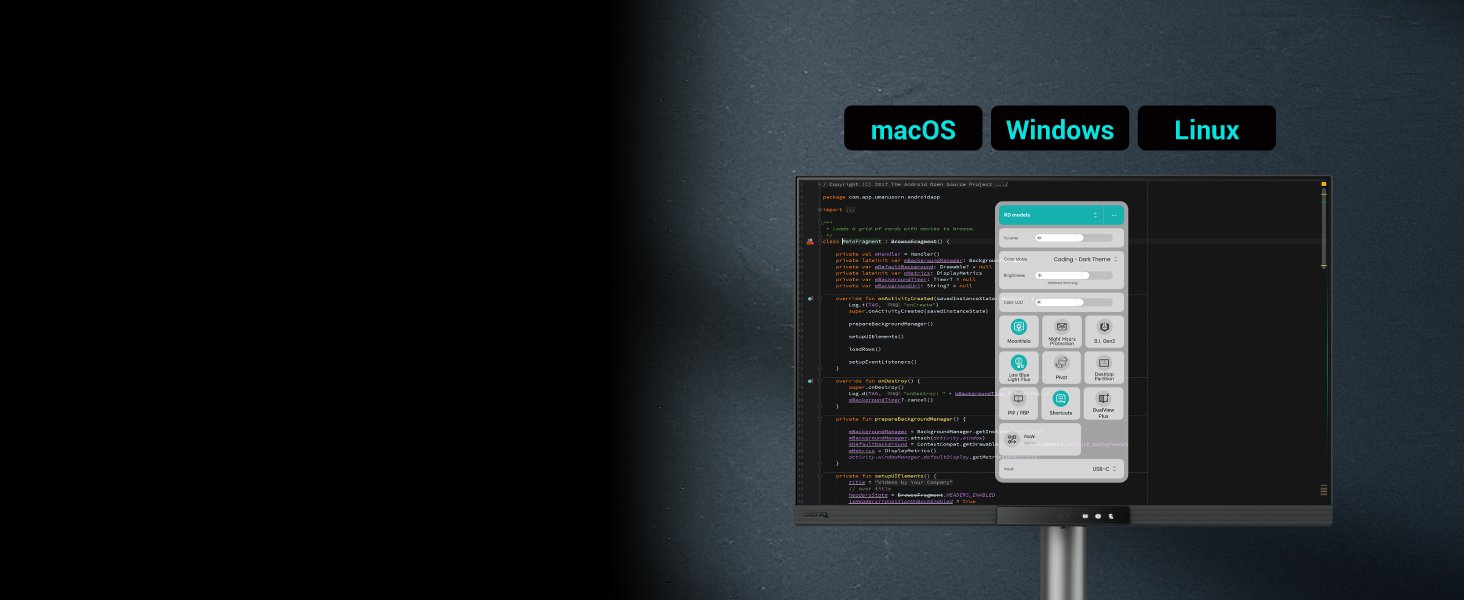
Display Pilot 2 Supports Windows, macOS and Linux
This is one of the RD280UG’s more unusual strengths.
Display Pilot 2 supports Windows, macOS and Linux.
That matters because developers are much more likely than general office users to work on Linux.
Available functionality includes:
- MoonHalo controls;
- Coding Modes;
- Night Hours Protection;
- KVM;
- desktop partitioning;
- application-based profiles;
- shortcuts;
- software dimming;
- Circadian Mode.
The ranking source specifically calls out Linux support as an important addition for a developer-focused monitor. Pasted text
120Hz + FreeSync Premium for Gaming After Work
The monitor supports AMD FreeSync Premium alongside its 120Hz panel.
That means it can also be used for gaming after work.
However, the RD280UG should not be confused with a dedicated gaming monitor.
If competitive gaming is your priority, there are displays offering:
- 180Hz;
- 240Hz;
- 360Hz;
- OLED;
- faster response times;
- wider 16:9 support.
The advantage of the RD280UG is that your programming monitor can still deliver a smooth gaming experience when the working day is over.
Ergonomic Stand With One Reported Caveat
The included stand supports:
- 150mm height adjustment
- Tilt from -5° to 20°
- 15° left/right swivel
- 90° pivot
- 100 × 100 VESA mounting
That provides plenty of adjustment for long working sessions.
However, the hands-on review you supplied reported some wobble when the monitor was extended close to the top of its height range.
That reviewer attributed it largely to the panel’s weight.
For users particularly sensitive to monitor movement, the 100 × 100 VESA mount provides the option of using a suitable monitor arm.
BenQ RD280UG Price in India
The RD280UG is positioned as a premium programming monitor rather than a general office display.
Instead of hard-coding the price into the article, I would keep this section dynamic because monitor pricing changes frequently.
Use:
For the latest BenQ RD280UG price in India, stock availability, GST invoice and pan-India delivery, check with Nexus Infosys.
That also helps your article rank for:
BenQ RD280UG price in India
without leaving an outdated price in the article several months later.
Frequently Asked Questions
Is the BenQ RD280UG a standard 4K monitor?
No. It uses 3840 × 2560, which BenQ describes as 4K+. Standard 4K UHD is 3840 × 2160, so the RD280UG has 400 more vertical pixels. Pasted text
Is 3:2 better than 16:9 for coding?
For text-heavy workflows, it can be. The additional vertical height allows more code, documentation and terminal output to remain visible. Users who need maximum horizontal workspace may still prefer 16:9 or ultrawide.
Is 120Hz useful for programming?
Yes. It does not improve stationary text resolution, but it makes scrolling, cursor movement and window animations noticeably smoother.
Does the RD280UG charge a laptop?
Yes. The USB-C connection provides up to 90W Power Delivery, subject to compatibility with the connected laptop. Pasted text
Does the BenQ RD280UG have KVM?
Yes. The integrated KVM allows compatible connected computers to share the same keyboard and mouse.
Can I use the RD280UG with Linux?
BenQ lists Display Pilot 2 support for Linux, macOS and Windows. Pasted text
Does the RD280UG support daisy chaining?
Yes, through USB-C MST, subject to the capabilities of the source system and downstream display.
Can I daisy-chain two monitors from a MacBook?
Mac display support differs from Windows MST behaviour, so you should confirm compatibility with the exact Mac model and connection method before purchasing specifically for this purpose. Pasted text
Is the RD280UG good for gaming?
It supports 120Hz and FreeSync Premium, making it suitable for casual and mixed-use gaming. Its primary design focus, however, is programming and productivity.
What is MoonHalo on the RD280UG?
MoonHalo is the monitor’s integrated rear ambient lighting system with adjustable brightness, colour temperature and automatic lighting controls.
Does the RD280UG support portrait mode?
Yes. Its stand supports 90° pivot, and the monitor also includes Auto Pivot functionality.
Is the RD280UG suitable for MacBook users?
Yes for general monitor use and compatible USB-C connectivity, but users planning complex multi-monitor or daisy-chain setups should verify the external-display capabilities of their exact Mac model.