

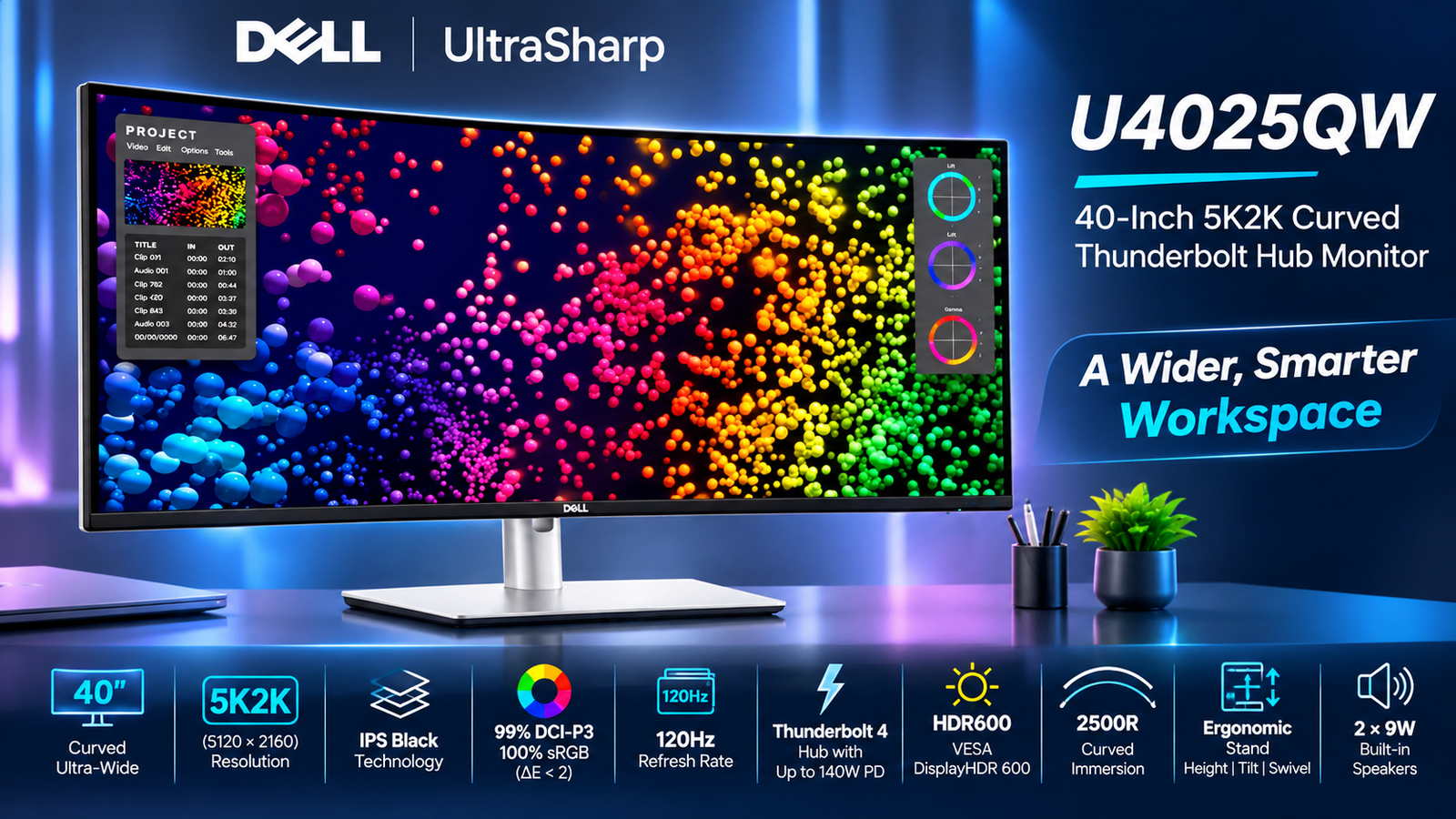
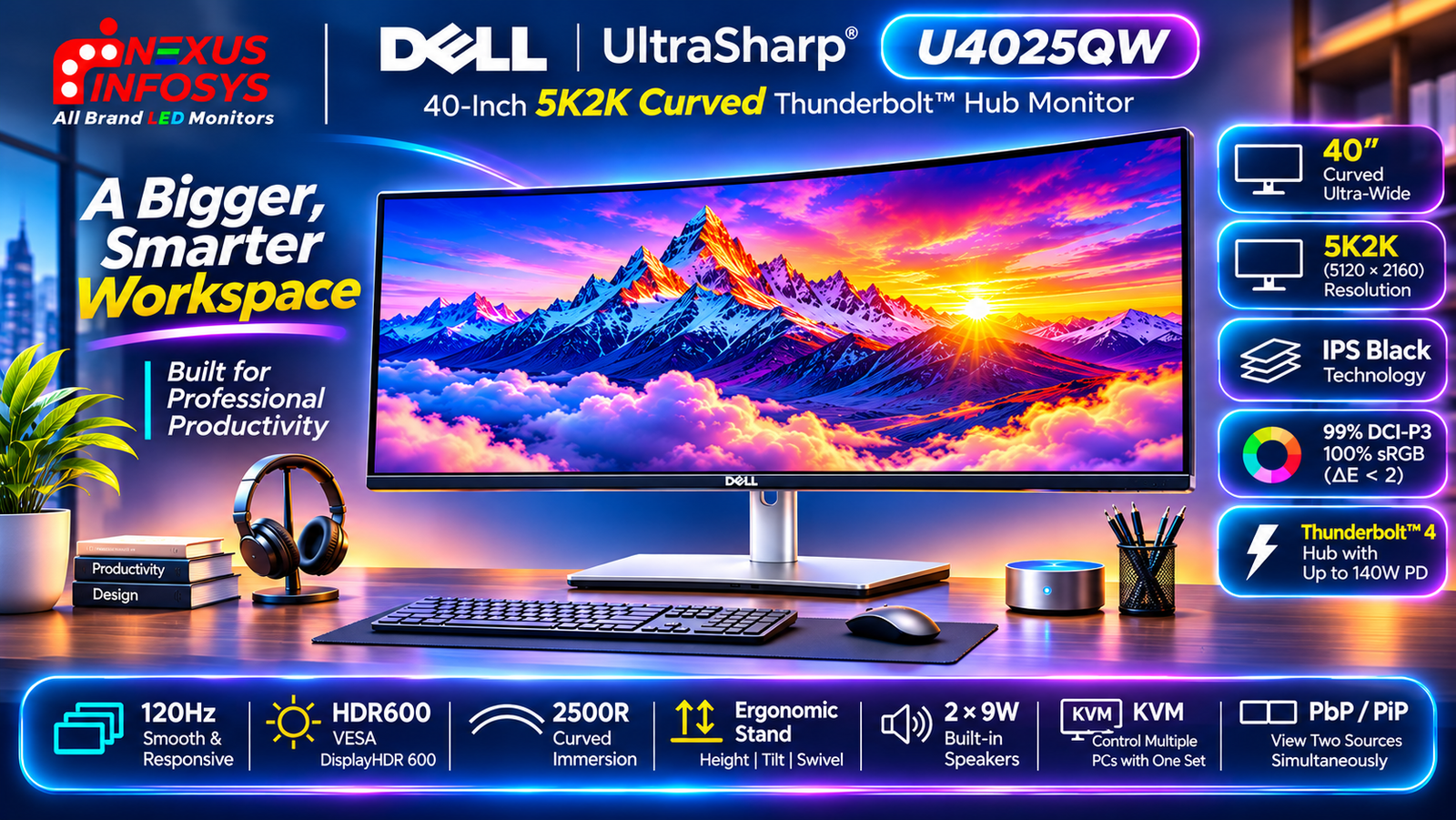
Choosing a professional monitor is no longer just about screen size or resolution. For designers, developers, video editors and business professionals, the right display needs to offer a combination of sharp image quality, accurate colours, comfortable viewing, smooth performance and flexible connectivity.
The Dell UltraSharp U4025QW 40-Inch 5K2K Curved Thunderbolt Hub Monitor brings these requirements together in one premium ultrawide display.
Featuring a 5120 × 2160 WUHD resolution, IPS Black panel technology, a 120Hz refresh rate and an integrated Thunderbolt 4 hub, this monitor is designed for professionals who want a large workspace without relying on multiple separate displays.
But what makes the U4025QW different from other ultrawide monitors? Is its 5K2K resolution useful for everyday work? How does its Thunderbolt 4 connectivity simplify a workstation? And who should consider buying it?
Let’s take a closer look.
Dell UltraSharp U4025QW: Key Specifications at a Glance
Before exploring its features, here is a quick overview of the monitor’s main specifications.
| Specification | Details |
|---|---|
| Model | Dell UltraSharp U4025QW |
| Screen Size | 40-inch class (39.7-inch viewable) |
| Resolution | 5120 × 2160 (5K2K WUHD) |
| Aspect Ratio | 21:9 |
| Panel Technology | IPS Black |
| Curvature | 2500R |
| Refresh Rate | 120Hz |
| Response Time | 5ms Fast / 8ms Normal |
| Typical Brightness | 450 nits |
| HDR Peak Brightness | 600 nits |
| Contrast Ratio | 2000:1 |
| HDR Certification | VESA DisplayHDR 600 |
| Colour Gamut | 99% DCI-P3, 99% Display P3, 100% sRGB, 100% BT.709 |
| Colour Accuracy | Delta E < 2 (average) |
| Pixel Density | 140 PPI |
| Connectivity | HDMI 2.1, DisplayPort 1.4, Thunderbolt 4, USB-A, USB-C, RJ45 |
| Power Delivery | Up to 140W EPR |
| Built-In Features | KVM, PbP, PiP, iMST, USB Hub |
| Speakers | 2 × 9W |
| Ergonomics | Height, Tilt and Swivel |
| VESA Mount | 100 × 100mm |
40-Inch 5K2K Resolution: A Bigger Workspace Without Multiple Monitors
The biggest attraction of the Dell U4025QW is its expansive 39.7-inch viewable display with a native resolution of 5120 × 2160 pixels.
This is a 5K2K WUHD display with a 21:9 ultrawide aspect ratio, providing considerably more horizontal workspace than a conventional 16:9 monitor.
Unlike a standard 4K UHD monitor with a resolution of 3840 × 2160, the U4025QW offers 5120 horizontal pixels. This additional horizontal resolution makes a noticeable difference when working with multiple applications.
The monitor also features a pixel density of approximately 140 PPI, helping maintain sharp text and detailed visuals across the large screen.
Internal Multi-Stream Transport (iMST)

Internal Multi-Stream Transport (iMST)
Partition your display as if there were two 2560×2160 physical monitors instead of one. No
external software or DisplayPort splitter needed.
One particularly useful feature is Dell’s internal Multi-Stream Transport (iMST).
It allows the display to be partitioned into two virtual 2560 × 2160 workspaces, effectively creating two side-by-side working areas from one physical monitor.
This can be helpful for professionals who prefer a dual-monitor-style arrangement but want to avoid the physical bezel between two separate displays.
IPS Black Technology: Better Contrast for Professional Work
The Dell UltraSharp U4025QW uses IPS Black panel technology, designed to deliver deeper blacks and improved contrast compared with conventional IPS panels.
It offers a typical contrast ratio of 2000:1, helping create better image depth and more distinguishable dark tones.
This is useful when working with photographs, graphics, presentations and other visual content where contrast and colour consistency matter.
Additional display characteristics include:
- 178° horizontal and vertical viewing angles
- 450 nits typical brightness
- 600 nits peak HDR brightness
- Anti-glare screen coating with 3H hardness
- 1.07 billion supported colours
IPS Black combines the wide viewing angles associated with IPS technology with improved contrast performance, making it suitable for professional desktop environments.
Professional Colour Accuracy for Designers and Content Creators
For photographers, graphic designers and video editors, colour reproduction is one of the most important considerations when selecting a monitor.
The Dell U4025QW supports a wide colour gamut covering several commonly used professional colour spaces.
Its specified colour coverage includes:
- 99% DCI-P3: Supports wide-gamut creative workflows and digital video production.
- 99% Display P3: Useful for compatible creative applications and wide-colour content.
- 100% sRGB: Suitable for web graphics, digital design and everyday content creation.
- 100% BT.709: Relevant for standard video production workflows.
Dell also specifies average Delta E below 2 across its supported colour spaces.
This indicates a strong focus on factory colour accuracy, reducing the need for extensive initial colour adjustments for many professional workflows.
For demanding colour-critical mastering work, users should still consider their specific calibration, workflow and reference-display requirements.
120Hz Refresh Rate for Smoother Everyday Performance
A 120Hz refresh rate is another important feature that separates the U4025QW from many conventional productivity monitors.
Traditional office monitors often operate at 60Hz, whereas the U4025QW supports up to 120Hz at its native resolution with compatible hardware and connections.
The higher refresh rate can make everyday desktop interactions feel smoother.
The monitor also offers two response-time modes:
- 5ms (Fast)
- 8ms (Normal)
Although 120Hz provides a smoother experience, the U4025QW is primarily a professional productivity and creative monitor rather than a dedicated competitive gaming display.
Thunderbolt 4 Hub: Turn Your Monitor into a Workstation
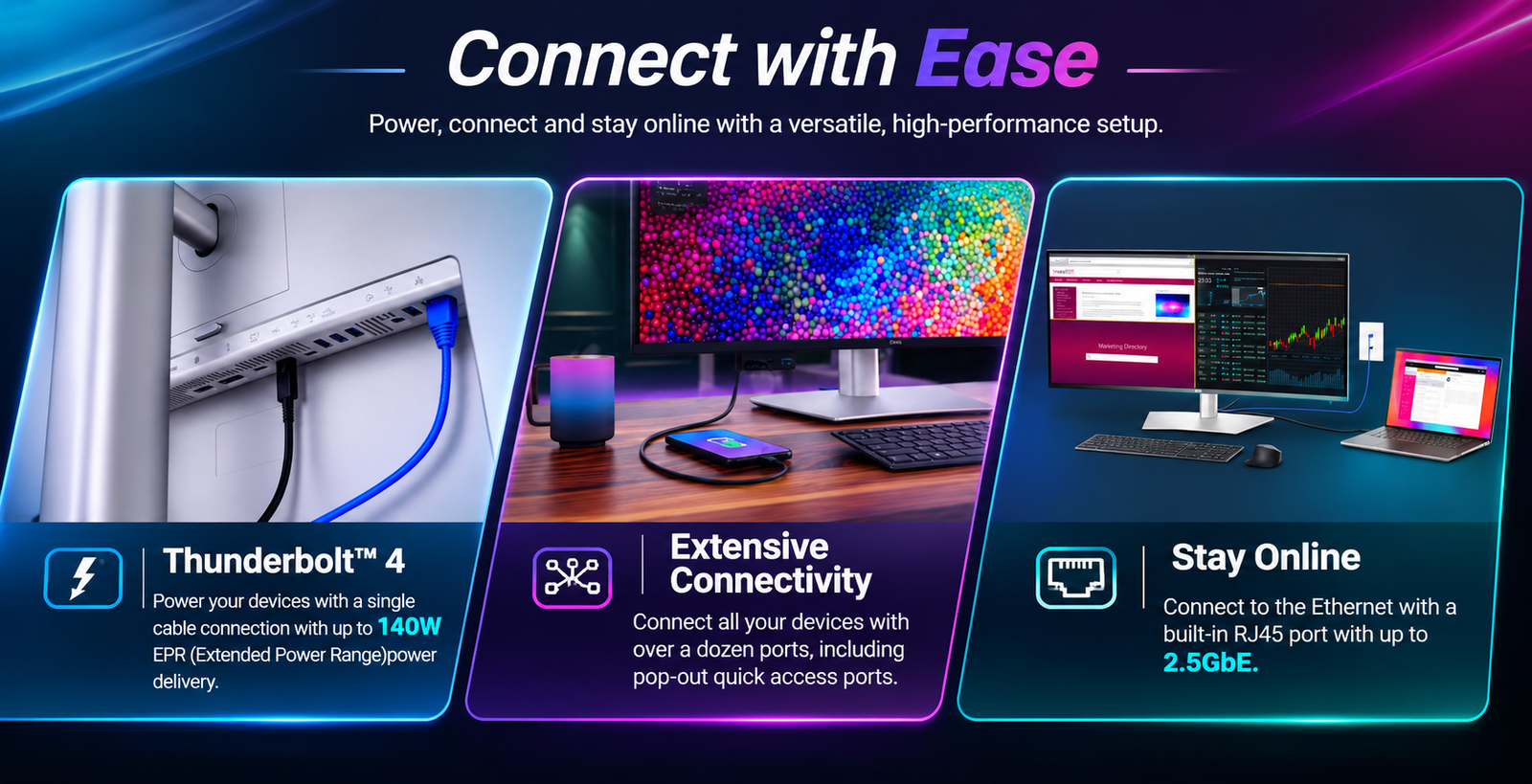
One of the strongest reasons to consider the Dell U4025QW is its integrated Thunderbolt 4 hub.
Many professionals use laptops as their primary work computers but still need desktop-style connectivity for external displays, keyboards, mice, storage devices and wired networking.
The U4025QW helps simplify this setup by combining a high-resolution monitor with a docking hub.
Up to 140W Thunderbolt 4 Power Delivery
The Thunderbolt 4 upstream connection supports:
- Video transmission
- High-speed data connectivity
- USB peripheral connectivity
- Laptop charging up to 140W EPR
This allows compatible laptops to connect to the monitor through a single Thunderbolt cable.
The monitor also includes a Thunderbolt 4 downstream port supporting up to 15W power delivery for compatible devices and daisy-chaining.
Built-In KVM Switch for Multiple Computers
If you regularly use two computers, the integrated KVM switch can make your workstation easier to manage.
KVM stands for Keyboard, Video and Mouse.
It allows compatible connected computers to share a single keyboard and mouse through the monitor.
For example, you could connect a professional laptop and a desktop workstation to the U4025QW and switch between them without requiring separate keyboards and mice.
This is especially useful for:
- Developers working with multiple systems
- IT professionals managing different computers
- Corporate users with work and personal devices
- Content creators using separate editing and production machines
Combined with the monitor’s USB hub, KVM functionality can help reduce desk clutter and simplify multi-computer workflows.
2500R Curved Display for an Immersive Workspace
The U4025QW features a 2500R curved screen.
On a wide 39.7-inch display, curvature helps keep more of the screen within a consistent viewing distance.
Its 21:9 aspect ratio is particularly useful for workflows involving wide timelines, spreadsheets, multiple browser windows and large creative applications.
The curved design also gives the monitor a more immersive appearance without compromising its professional workstation positioning.
However, users should consider their desk depth and viewing distance before choosing a display of this size.
Extensive Connectivity: HDMI 2.1, DisplayPort and USB Hub
The U4025QW offers a comprehensive selection of connectivity options for modern workstations.
| Connectivity | Purpose |
|---|---|
| 1 × HDMI 2.1 | High-resolution video input up to 5K2K at 120Hz |
| 1 × DisplayPort 1.4 | High-resolution video input with DSC support |
| 1 × Thunderbolt 4 Upstream | Video, data and up to 140W EPR power delivery |
| 1 × Thunderbolt 4 Downstream | Daisy chaining, video and data with up to 15W power |
| 1 × USB-C Upstream | 10Gbps data connection |
| USB-A Downstream | Connect keyboards, mice and other peripherals |
| 2 × USB-C Downstream | 10Gbps data and up to 15W charging |
| 2.5GbE RJ45 | Wired network connectivity |
| Audio Line-Out | Connect external audio equipment |
The monitor also includes pop-out quick-access ports on the lower bezel, making it easier to connect frequently used peripherals without reaching around the back of the display.
Its 2.5GbE Ethernet connection is particularly useful for professionals who prefer wired networking for stable data transfers and office connectivity.
HDR600 Support for Enhanced Visual Content
The Dell UltraSharp U4025QW supports VESA DisplayHDR 600 certification.
It offers typical brightness of 450 nits and peak HDR brightness of 600 nits.
HDR support helps compatible content display a wider range of brightness levels, making highlights and other visual details more noticeable.
For users who work with HDR-compatible videos and multimedia, this adds another dimension to the display’s capabilities.
However, DisplayHDR 600 should not automatically be considered equivalent to a dedicated professional HDR reference monitor. Users with specialised HDR mastering requirements should evaluate their workflow before purchasing.
Ergonomic Adjustments and Eye Comfort Features
A large monitor should offer flexible positioning options, particularly for users who spend long hours at their desks.
The Dell U4025QW comes with an adjustable stand supporting:
- Height adjustment: Up to 150mm
- Tilt: -5° to +21°
- Swivel: -30° to +30°
The display also includes Dell ComfortView Plus technology, an ambient light sensor and an anti-glare screen coating.
The ambient light sensor automatically adjusts brightness and colour temperature according to the surrounding environment.
Dell also highlights five-star eye comfort certification for this monitor.
These features make it a practical option for extended productivity sessions, although correct monitor positioning and regular breaks remain important.
Built-In Speakers for Everyday Audio
The Dell UltraSharp U4025QW includes integrated stereo speakers with a total output of 18W.
Its speaker configuration consists of:
- 2 × 9W speakers
The built-in audio is useful for everyday office requirements such as video meetings, presentations and general multimedia playback.
Users who require more immersive audio or professional sound reproduction may prefer dedicated external speakers or headphones.
Who Should Buy the Dell UltraSharp U4025QW?
The U4025QW is designed for users who need a large, high-resolution display with advanced connectivity.
Video Editors and Content Creators
The 5K2K resolution provides additional horizontal workspace for timelines, preview windows and editing tools. Its wide colour gamut also supports colour-conscious creative workflows.
Graphic Designers and Photographers
IPS Black technology, wide colour coverage and factory colour accuracy make it an attractive option for professionals working with images, graphics and design applications.
Developers and Programmers
The ultrawide display allows multiple code windows, terminals, browser previews and documentation to remain visible together.
Business Professionals and Financial Analysts
The large workspace is useful for spreadsheets, dashboards, presentations and data-heavy applications.
Corporate Workstations and Hybrid Workers
Thunderbolt 4 connectivity, laptop charging, KVM, Ethernet and USB hub functionality make the monitor particularly useful for modern office environments.
Is the Dell UltraSharp U4025QW Worth Buying?
The Dell UltraSharp U4025QW is a premium monitor designed around one central idea: bringing a large, high-resolution professional workspace and advanced docking capabilities together in a single display.
Its combination of 5K2K resolution, IPS Black technology, 120Hz refresh rate, professional colour coverage and Thunderbolt 4 connectivity makes it a compelling choice for professionals who spend significant time working across multiple applications.
The integrated KVM switch, PbP, PiP and iMST features add further flexibility, while the 140W Thunderbolt 4 power delivery can simplify compatible laptop workstations.
Its main advantage is not simply its large screen. It is the combination of screen space, image quality and workstation connectivity.
For creative professionals, developers, analysts and business users who can take advantage of these features, the U4025QW is worth considering as a premium productivity monitor.
Frequently Asked Questions About the Dell U4025QW
1. Is the Dell U4025QW a 4K or 5K monitor?
The Dell U4025QW is a 5K2K WUHD monitor with a native resolution of 5120 × 2160 pixels. It has more horizontal pixels than a standard 4K UHD monitor.
2. What is the actual screen size of the Dell U4025QW?
It is marketed as a 40-inch monitor and has a 39.7-inch viewable diagonal.
3. Does the Dell U4025QW support 120Hz?
Yes. It supports a maximum refresh rate of 120Hz at its native 5120 × 2160 resolution with compatible hardware and connections.
4. Does the Dell U4025QW have an IPS Black panel?
Yes. It uses IPS Black technology and offers a typical contrast ratio of 2000:1.
5. How much power can the Dell U4025QW deliver to a laptop?
Its Thunderbolt 4 upstream port supports up to 140W EPR power delivery. Actual charging depends on the laptop’s compatibility and power requirements.
6. Does the Dell U4025QW have a built-in KVM switch?
Yes. Its integrated KVM switch allows compatible computers to share one keyboard and mouse.
7. Can the Dell U4025QW connect two computers simultaneously?
Yes. It supports multiple video inputs, Picture-by-Picture, Picture-in-Picture and KVM functionality, allowing compatible multi-computer workflows.
8. Is the Dell U4025QW suitable for video editing?
Yes. Its 5K2K resolution provides an expansive editing workspace, while its wide colour gamut and IPS Black panel make it suitable for many creative workflows.
9. Does the Dell U4025QW support HDR?
Yes. It is VESA DisplayHDR 600 certified, with peak HDR brightness of up to 600 nits.
10. Does the Dell U4025QW have built-in speakers?
Yes. It includes two 9W speakers, providing 18W total audio output.
11. Does the Dell U4025QW support VESA mounting?
Yes. It supports a 100 × 100mm VESA mount, allowing users to install it on a compatible monitor arm or wall mount.
12. Is the Dell U4025QW good for MacBook users?
It can be an excellent workstation display for compatible MacBook models, particularly when using Thunderbolt connectivity. However, users should check their specific MacBook model’s external display support, maximum resolution and refresh-rate capabilities before purchasing.
Buy the Dell UltraSharp U4025QW from Nexus Infosys
Looking for a premium ultrawide monitor for your professional workspace?
The Dell UltraSharp U4025QW 40-Inch 5K2K Curved Thunderbolt Hub Monitor combines an expansive high-resolution display, IPS Black technology, professional colour accuracy and advanced connectivity in one workstation solution.
At Nexus Infosys, we help businesses, creative professionals, resellers and individual customers find the right monitor for their requirements.
Explore our Dell Monitor Collection or visit the Dell UltraSharp U4025QW product page to enquire about pricing and availability.
Contact Nexus Infosys for product enquiries and assistance.
Nexus Infosys – All Brand LED Monitors.


